Note: An auto detect message may appear if the baud rate has been changed from the default value – select ‘Yes’ to
allow the different baud rates to be scanned.
Software Overview
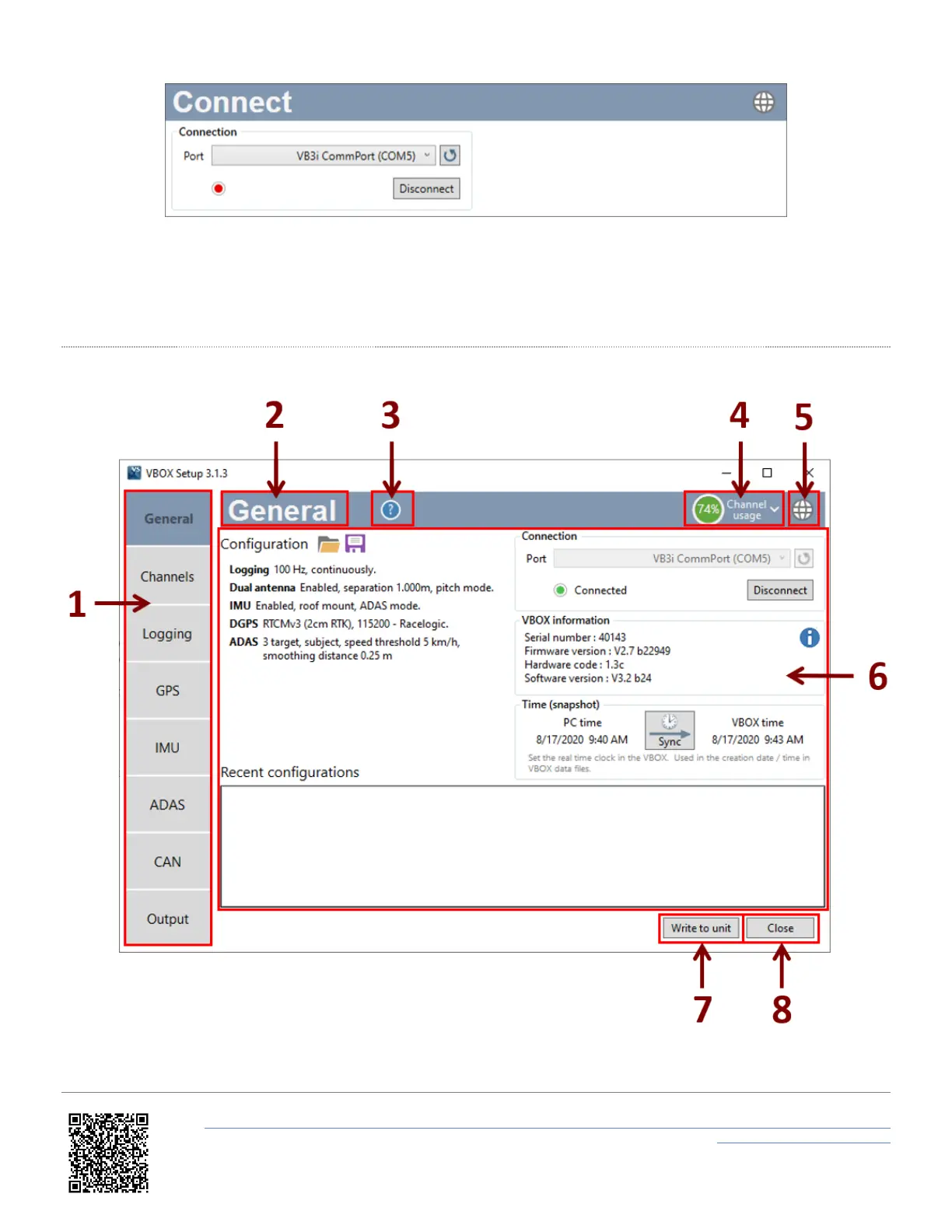
1. Menu - The side bar allows selection between the different settings menus. Click the buttons to change.
2. Current menu - Displays the currently selected menu.
https://en.racelogic.support//Product_Info/VBOX_Data_Loggers/VBOX_3i_Range/VBOX_3i_User_Guide_(All_Variants)/07_-
_VB3i_VBOX_Setup_Overview
31


 To Next Page