12-1 - VB3i IMU Integration - In-Vehicle Mounted
Required equipment
IMU04
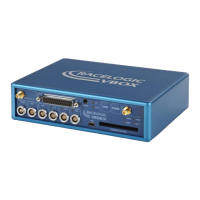
• VB3i (IMU04 ready)
• IMU04
• RLCAB119 – VBOX - IMU connecting cable
• RLCAB001 / RLCAB066-2 - VB3i PC connection cable
• VBOX Setup
• VBOX Manager (optional)
• RLCAB069L / RLCAB015L / RLACS182L - vehicle CAN bus cable (optional for wheel speeds)
IMU03
• VB3i (works with all VB3i units)
• IMU03
• RLCAB005-CS – VBOX - IMU connecting cable
• RLCAB001 / RLCAB066-2 – VB3i PC connection cable
• VBOX Setup
• VBOX Manager (optional)
• RLCAB069L / RLCAB015L / RLACS182L - vehicle CAN bus cable (optional for wheel speeds)
Setup
Hardware
Important note: IMU04 must be connected to VB3i before power is applied to ensure data is correctly
synchronised.
1. Fit the VBOX 3i into the test vehicle, and mount the IMU as described here.
https://en.racelogic.support//Product_Info/VBOX_Data_Loggers/VBOX_3i_Range/VBOX_3i_User_Guide_(All_Variants)/12-1_-
_VB3i_IMU_Integration_-_In-Vehicle_Mounted
53


 To Next Page