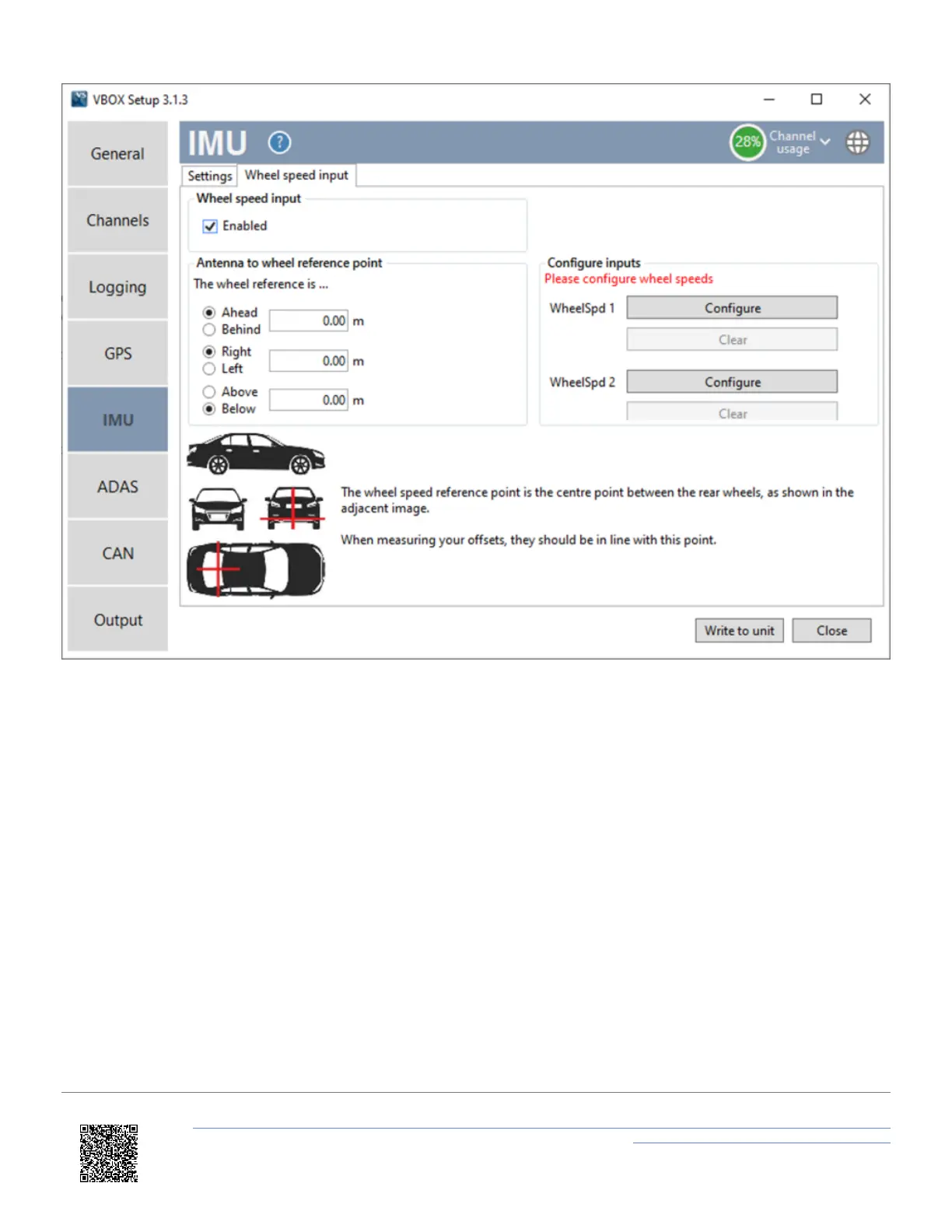
5. Select 'Enabled' within the 'Wheel speed input' section.
6. Enter the Antenna to wheel reference point offsets, these are the x,y,z distances (m) between wheel speed
reference point and the antenna. The reference point is the centre point between the rear wheels, as shown in the
image below.
https://en.racelogic.support//Product_Info/VBOX_Data_Loggers/VBOX_3i_Range/VBOX_3i_User_Guide_(All_Variants)/12-1_-
_VB3i_IMU_Integration_-_In-Vehicle_Mounted
61


 To Next Page