K5/K5N Vacuum Packaging Machine
Maintenance
2002-04-25 Art. no. 519.339 DE Page 47/55
Procedure
§ Remove the panel from the right-hand side of the
machine.
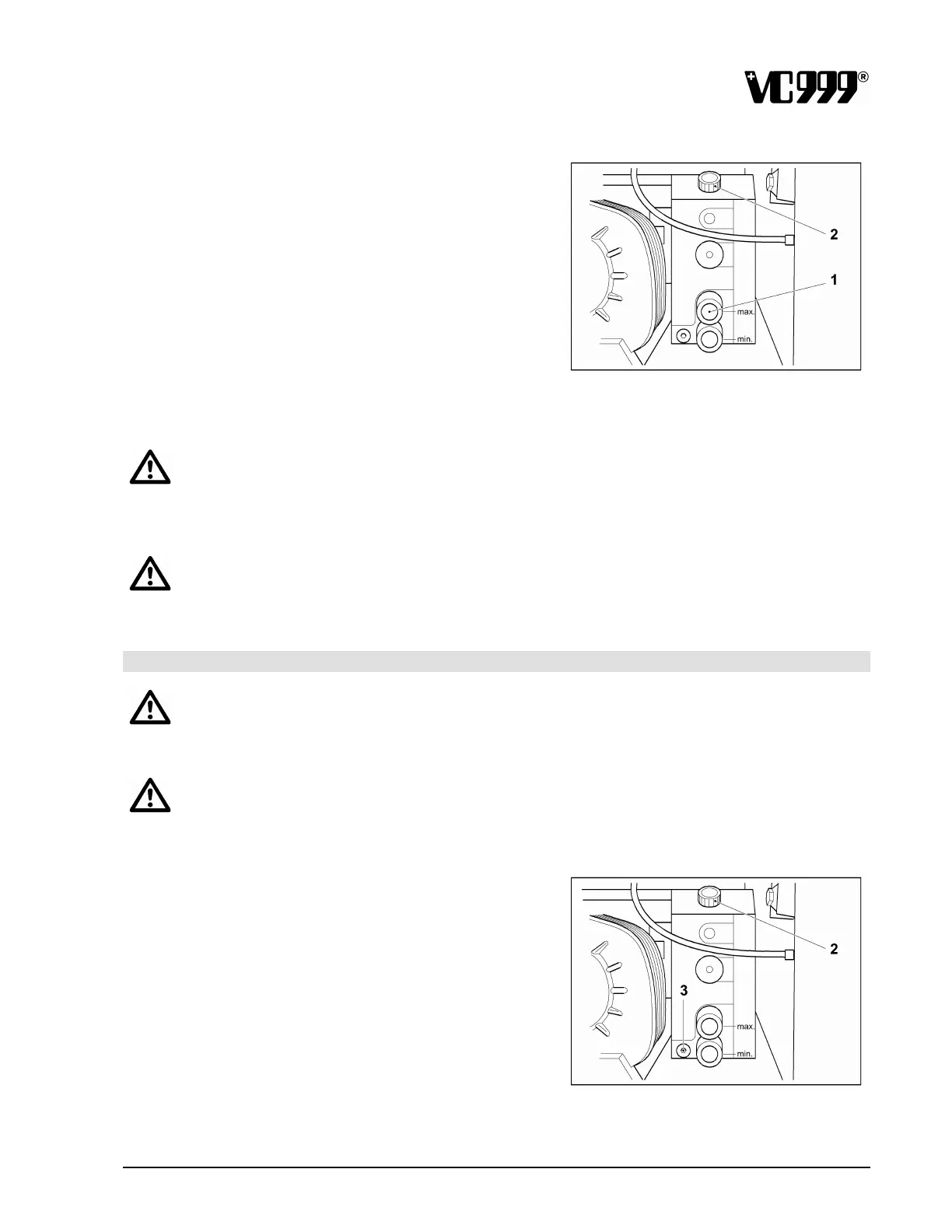
§ Unscrew the cap (2) from the oil filler.
§ Keep pouring in oil until the oil level reaches the
”max.“ mark.
§ Screw the cap back onto the filler and re-attach
the panel.
Fig. 13/9
§ Allow the vacuum pump to run for a short time, then check that the oil level is correct in the upper
inspection glass (1).
IMPORTANT
Only use an oil which has been recommended by the pump manufacturer! Read the section on
“Process oils” for details of the recommended oils. If an oil with different properties is used,
this may lead to disruptions in operations or to damage!
IMPORTANT
Different types of oil must never be mixed!
13.3.5.2 Oil changes
WARNING
Before you change the oil, check that the machine is switched off and has been unplugged at
the mains!
IMPORTANT
In order to drain off all the oil, do it while the vacuum pump is still warm after operation if
possible!
Procedure
§ Remove the panel from the right-hand side of the
machine.
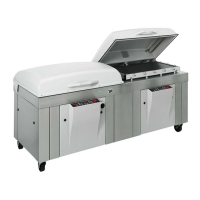
§ Place the container for the used oil under the oil
drain outlet (3).
§ Unscrew the cap (2) from the oil filler neck.
§ Loosen the sealing screw from the oil drain outlet
(3) and let the used oil drain into the container.
Fig. 13/10
§ Close the oil drain outlet again.


 To Next Page