Your TV is packaged with the TV stand separated from the cabinet. To setup the TV table stand,
please carry out the installation according to the instructions below.
Step One
Place the TV faced down on a soft cloth or cushion to prev
ent the panel from being damaged.
Note:
1. The panel is easy to scratch, so please choose an absolu
tely flat surface to place the
TV, and use soft cloth or cushion to protect the TV panel. Do not put TV on table directly.
2. Always unplug the AC cord first when installing or removing the stand.
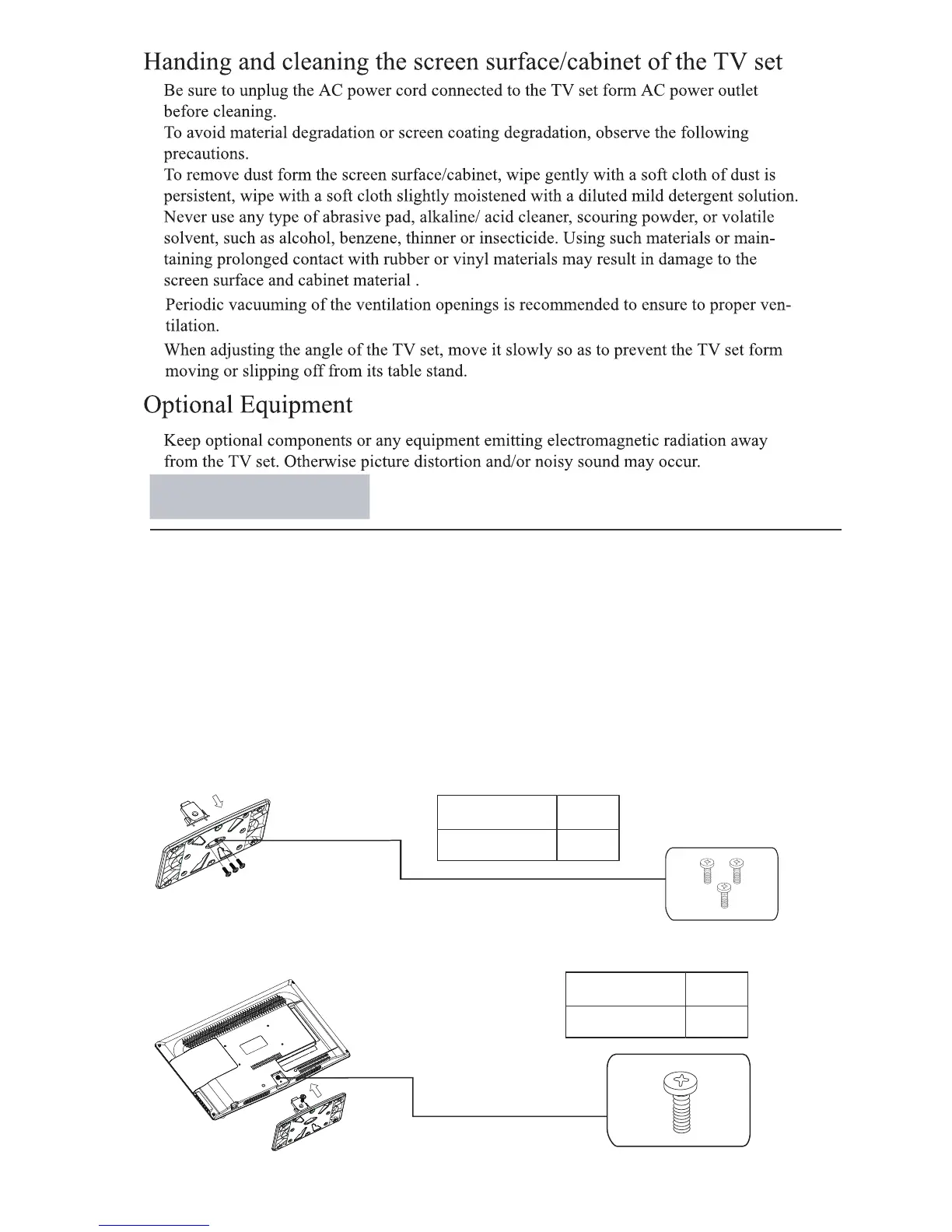
Step Three
Insert the sc
rews (which are totally the same) and tighten them.
Step Two
Take the sta
nd. Please align the screw holes of the stand and TV.
Stand Installation
24
Pedestal Screws Quantity
1pcs
M4 x 22mm
fastened with three screws.
Insert the stand support pillar into the stand as the arrow indicated direction, and then
3pcs
M4 x 10mm
Pedestal Screws Quantity



 To Next Page