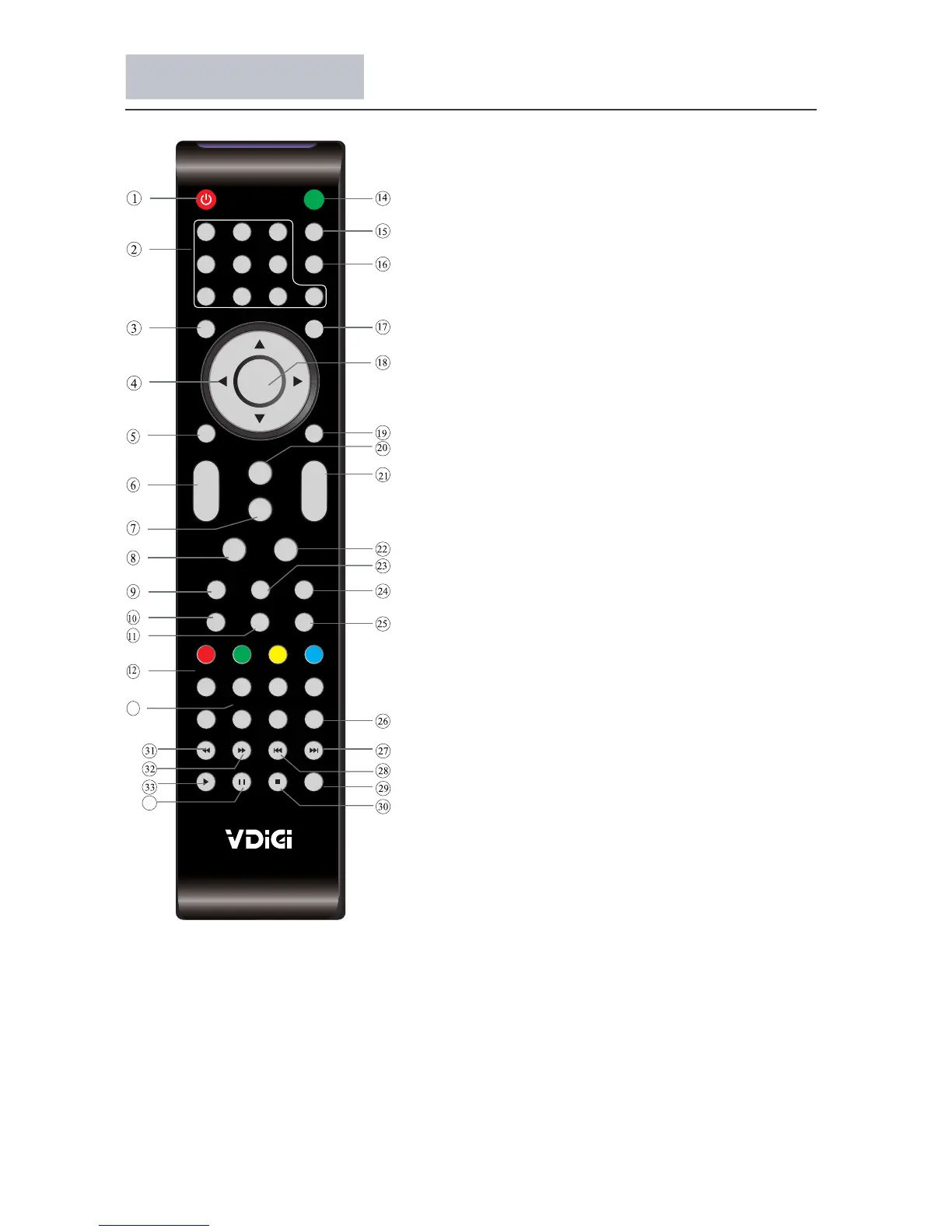
Remote Control
25
1
OK
2 3
4 5 6
7 8 9 0
+
CH
_
+
_
VOL
POWER
MUTE
AUDIO
RECALL
TV MENU SOURCE
CH.LIST
SOUND
EXIT
PIC
SLEEP ASPECT
TEXTUSBFREEZE
INFOFAVEPG
DTV
HOLD
LIST
INDEX
SUBPAGE PVR.LIST MIX SUBTITLE
REC/REP
13
34
1: POWER
To set the TV to standby or power on.
2: NUMERIC KEY
For direct access to channels.
3: TV MENU
To display TV menu.
4: CURSOR
To move within the menu.
5: CH.LIST
To display the channel list.
6: VOL+/-
To adjust sound level.
7: PIC
To switch picture mode.
8: SLEEP
Set timer to turn off the TV.
9: FREEZE
To freeze the picture.
10: EPG
To display the Electronic Program Guide Screen.
11: FAV
To access your favourite channels list in ATV or
DTV mode.
12: DTV
Select DTV source input.
13: PVR.LIST
Show the PVR list.
14: MUTE
To disable or enable the sound output.
15: AUDIO
Select audio output.
16: RECALL
To access the previously viewed channel.
17: SOURCE
To select input source.
18: OK
To confirm selection.
19: EXIT
To return to the previous menu or exit menu.
20: SOUND
To switch sound mode.
21: CH+ /CH-
To access the next or previous channels.
22: ASPECT
Adjust image display proportion.
23: USB
Select USB source input.
24: TEXT,HOLD,LIST,INDEX,SUBPAGE,MIX
25: INFO
To display information of current and next program
in DTV mode.
26: SUBTITLE
To switch between different subtitles in DTV mode.
29: REC/REP
Personal video record button.
27,28,30,31,32,33,34: Available in multimedia.
Teletext switching,if the local don’t have teletext swithing,
these keys is not valid.



 To Next Page