EasyManua.ls Logo

VDO CD716UB-BU - User Manual

VDO CD716UB-BU
14 pages
Print Icon
To Next Page IconTo Next Page
Loading...
www.vdo.com
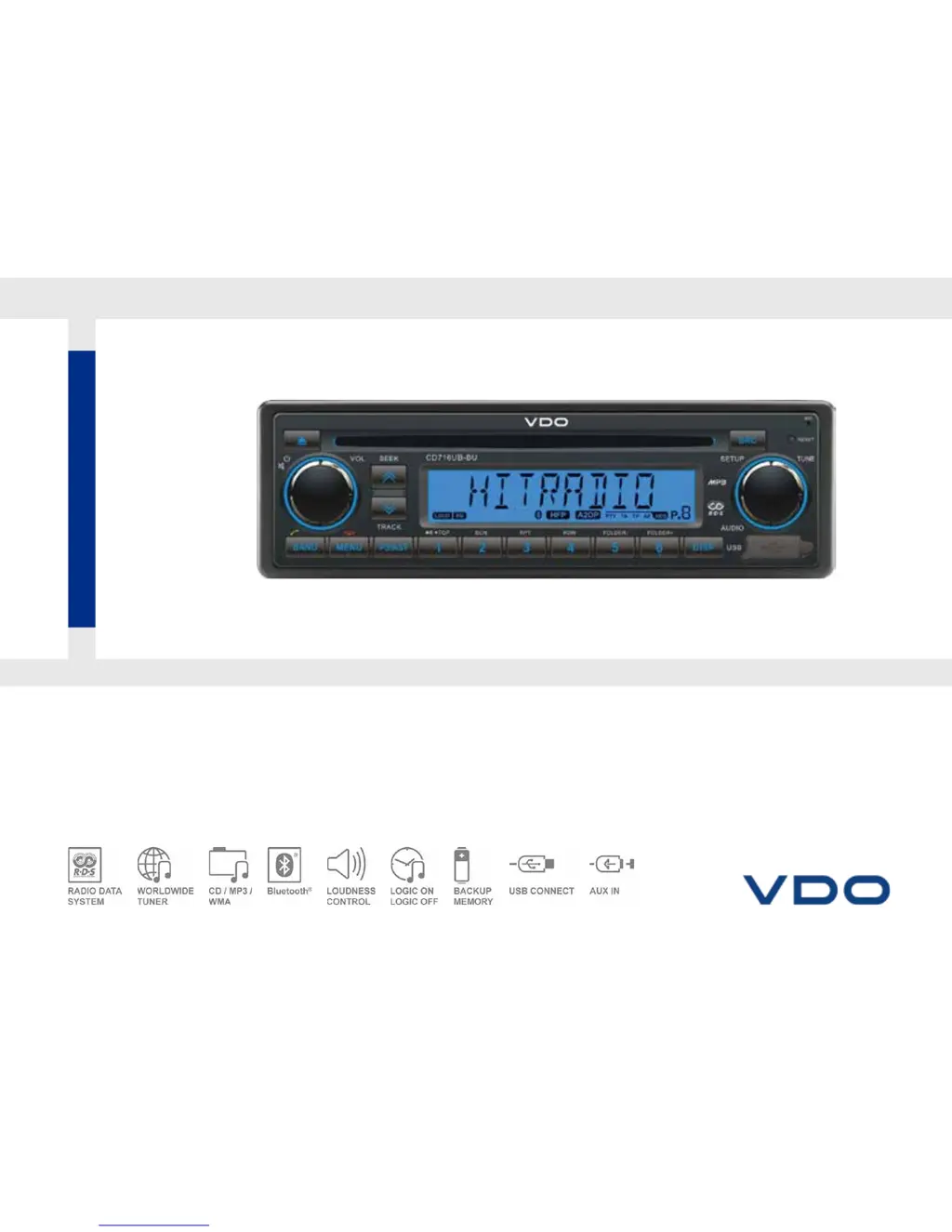
CD716UB-BU
CD RADIO / USB MP3 / WMA / Bluetooth
®
12V
OWNER’S MANUAL

Questions and Answers

  • M
    Misty BakerAug 2, 2025
    What to do if VDO CD716UB-BU Car Receiver disc is inside but there is no sound?
    • C
      Christopher GilbertAug 2, 2025
      If your VDO Car Receiver has a disc inside but there is no sound, try these steps: * Ensure the disc is placed in the correct direction, with the label side up. * Check if the disc is dirty or damaged; if so, clean it or try another disc.
  • L
    lawrence21Aug 8, 2025
    Why is there so much noise in VDO CD716UB-BU Car Receiver broadcasts?
    • I
      iallenAug 8, 2025
      If you are experiencing a lot of noise in broadcasts on your VDO Car Receiver, it may be because the station is too far away, or the signals are too weak. Try selecting other stations with a higher signal level.
  • S
    Sheila DavisAug 14, 2025
    What to do if VDO Car Receiver disc sound skips and the tone quality is low?
    • A
      Amanda Strickland MDAug 14, 2025
      If the disc sound skips or the tone quality is low on your VDO Car Receiver, the disc may be dirty or damaged. Try cleaning the CD or using another CD.
  • S
    Steven WattsAug 19, 2025
    Why my VDO CD716UB-BU has no power or no sound?
    • M
      Matthew BennettAug 19, 2025
      If your VDO Car Receiver has no power or sound, there are several things you can check: * Ensure your car's engine switch is turned to ACC or ON. * Inspect the fuse and replace it if it's burnt. * Verify the volume isn't too low and that mute is off. * If none of these steps work, try pressing the RESET button.
  • W
    William Perez DVMAug 27, 2025
    What to do if my VDO Car Receiver displays 'CD ERR'?
    • H
      Harold MccannAug 27, 2025
      If your VDO Car Receiver displays 'CD ERR', check the following: * Make sure the disc is inserted with the label side up. * Verify that the disc format is supported and the file date is correct. * If the disc is incorrect, press the eject button for more than 2 seconds. If it still doesn't eject, press the RESET switch and then press the eject button again for 2 seconds. If the disc still won't eject, consult your dealer.

Summary

Panel Controls Overview

Control Element Descriptions

Detailed explanation of each button, knob, and display element on the unit's front panel.

Operating the Unit

Sound Settings and Features

Audio Adjustments

Detailed guide on adjusting EQ, Bass, Treble, Balance, Fader, and Loudness.

System Setting Item List

System Setting Options

A comprehensive list of all configurable system settings and their options across different sources.

USB MP3;WMA Overview

Bluetooth Operations

Handsfree Calling Setup

How to pair the phone and use the handsfree calling features.

Making and Managing Calls

Detailed steps for making calls, using call history, and managing phonebook contacts.

Bluetooth Audio Streaming

Answering and Rejecting Calls

How to answer or reject incoming calls using the unit's controls.

Electrical Connections

Wiring Diagram and Connections

Visual representation of the unit's wiring harness and connection points for power, speakers, and accessories.

Troubleshooting Common Issues

Problem Resolution Guide

Guide to diagnose and resolve common issues like no power, disc errors, or radio noise.

VDO CD716UB-BU Specifications

General IconGeneral
BrandVDO
ModelCD716UB-BU
CategoryCar Receiver
LanguageEnglish

Related product manuals