EasyManua.ls Logo

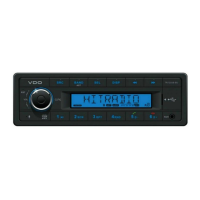
VDO TR723UB-BU - User Manual

VDO TR723UB-BU
20 pages
Print Icon
To Next Page IconTo Next Page
Loading...
www.vdo.com
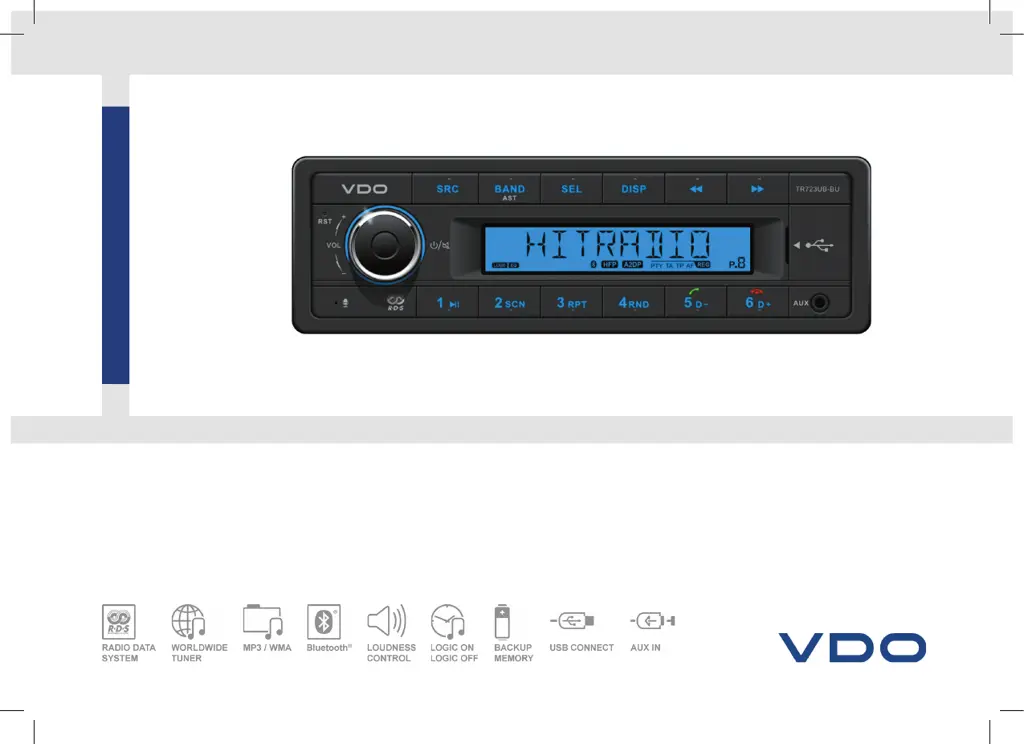
TR723UB-BU
RADIO / USB MP3 / WMA / Bluetooth
®
24V
OWNER’S MANUAL
VDO_TR723UB-BU_EN.indd 1 29/04/15 12:17

Questions and Answers

  • R
    Raymond VasquezAug 12, 2025
    What to do if my VDO Car Receiver won't switch on?
    • E
      emily81Aug 12, 2025
      If your VDO Car Receiver doesn't switch on, the car ignition might not be on, the cable might not be properly connected, or the fuse may be burnt. First, turn your car key in the ignition. Then, check the cable connection. Finally, replace the fuse with a new fuse of the same capacity.
  • R
    rmoralesAug 16, 2025
    Why is there no sound coming from my VDO TR723UB-BU Car Receiver?
    • D
      Danielle BaldwinAug 16, 2025
      If there is no sound from your VDO Car Receiver, the volume may be set at minimum or the mute function may be on. Check the volume level and switch the mute function off.
  • F
    fcruzAug 19, 2025
    What to do if my VDO TR723UB-BU has poor quality radio reception?
    • C
      Caleb JohnsonAug 19, 2025
      If you are experiencing poor quality reception on your VDO Car Receiver, the antenna may not be fully extended or it could be broken. Fully extend the antenna. If it is broken, replace it with a new one.
  • A
    Andrew DuranAug 25, 2025
    Why am I unable to receive stations on my VDO TR723UB-BU?
    • X
      xsmithAug 25, 2025
      If you are unable to receive stations on your VDO Car Receiver, the antenna may not be connected properly. Ensure that the antenna is properly connected.
  • J
    joelmartinAug 27, 2025
    What to do if my VDO TR723UB-BU Car Receiver unit or screen does not work normally?
    • L
      Lisa StoutAug 28, 2025
      If your VDO Car Receiver unit or screen isn't working normally, the unit system might be unstable. Press the RESET button.
  • D
    Daniel PowellAug 31, 2025
    Why does my VDO TR723UB-BU Car Receiver lose preset stations?
    • B
      Bridget WaltonAug 31, 2025
      If your VDO Car Receiver is losing preset stations, the battery cable may not be properly connected. Connect the permanent live on the unit to the permanent live on the vehicle.
  • D
    daniel77Sep 4, 2025
    What to do if I am unable to insert a USB device into my VDO TR723UB-BU Car Receiver?
    • E
      Emily BartlettSep 4, 2025
      If you are unable to insert a USB device into your VDO Car Receiver, the USB device may have been inserted the wrong way round. Insert it the other way around.
  • J
    John GutierrezSep 8, 2025
    What to do if my VDO TR723UB-BU cannot read the USB device?
    • C
      curtischarlesSep 8, 2025
      If your VDO Car Receiver cannot read the USB device, the NTFS format may not be supported. Check that the file system is in FAT or FAT32 format. Due to different formats, some models of storage devices or MP3 players may not be read.

Summary

Safety Information

General Safety Precautions

Covers essential safety advice for device operation and installation.

Operational Safety Guidelines

Instructions to follow before operating the unit and general caution.

Technical Specifications

General Specifications

Key technical details including power, fuse, weight, and dimensions.

Radio Frequency Bands

Frequency tables for radio tuning across different regions.

Panel Controls Overview

Button and Function Descriptions

Detailed explanation of each button and its associated functions.

Button Operation Tips

MP3 Playback and Search

Guidance on track skipping, fast search, and folder navigation.

Settings and Clock Adjustment

How to set the clock and access system settings.

Radio Tuning and Memory

Tips for automatic/manual tuning and storing radio presets.

RDS and Logic Functionality

Explanation of RDS features and Logic ON/OFF power management.

System Settings Configuration

Setup Menu Items

List of configurable setup parameters like clock, beep, and region.

Audio Settings Adjustment

Options for customizing audio output like EQ, bass, and treble.

Bluetooth Connectivity

Pairing and Device Connection

Steps for pairing a smartphone and establishing a Bluetooth connection.

Dialing and Voice Calls

Instructions for making calls and managing voice interactions.

A2 DP Audio Streaming

How to play music wirelessly via Bluetooth audio.

USB Media Playback

USB Device Handling

Procedures for inserting, removing, and managing USB devices.

USB File Format Support

Information on supported file systems and media limitations.

Regulatory Compliance (FCC)

FCC Statement on Interference

Device compliance with FCC rules for radio frequency interference.

FCC Radiation Exposure Statement

Guidelines on safe installation regarding radiation exposure limits.

Electrical Connections Guide

Unit Wiring Diagram

Visual guide illustrating the electrical connections for the unit.

Connector Pin Definitions

Detailed explanation of each pin's function in the connector compartments.

Troubleshooting Common Issues

General Unit Problems

Solutions for power, sound, and general operational failures.

Radio and USB Device Issues

Troubleshooting steps for radio reception and USB read errors.

VDO TR723UB-BU Specifications

General IconGeneral
Supported radio bandsFM, LW, MW
Radio Data System (RDS)Yes
Wi-FiNo
AUX in ports1
USB port positionFront
Bluetooth profilesA2DP, AVRCP, HFP, HSP
DIN size-
Output power60 W
Product colorBlack
Audio output channels4.0 channels
Maximum power per channel15 W
Audio formats supportedMP3, WMA
Hands-free callingKeep your hands on wheel with Bluetooth™ Hands-free calling. After pairing your compatible Bluetooth mobile phone to your TomTom GPS, you’ll be able to see incoming call information, make and answer calls, and talk hands-free through your device. You’ll e
Weight and Dimensions IconWeight and Dimensions
Depth58.5 mm
Width188 mm
Height130 mm

Related product manuals