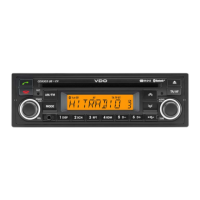
What does 'Please insert correct CD' mean on VDO MS 4150 RS MP3 Car Receiver?
- RRodney KingSep 23, 2025
Check that you have inserted a map CD which contains C-I-Q data. Map CDs without C-I-Q will not be accepted by the system.
What does 'Please insert correct CD' mean on VDO MS 4150 RS MP3 Car Receiver?
Check that you have inserted a map CD which contains C-I-Q data. Map CDs without C-I-Q will not be accepted by the system.
What to do if VDO MS 4150 RS MP3 navigation radio is not functioning and has no display?
Check the fuse (both the unit and vehicle fuses) and verify the connections, referring to the installation instructions for guidance.
Why can't I set the required station with automatic search on my VDO MS 4150 RS MP3 Car Receiver?
The station may be too weak. Try setting the station manually. Also, ensure the antenna is fully extended and correctly connected. Deactivate the “TA Scan” or “TMC Scan” function if activated. Finally, check the “Tuner Grid:” option in the “Radio” menu to ensure it is correctly set (EUR / USA).
What to do if my VDO Car Receiver rejects the audio or map CD?
If your unit rejects the CD, the CD might be dirty. Clean it using a special CD cleaning fluid.
How to increase the volume of directions on a VDO MS 4150 RS MP3 Car Receiver?
Press the Info button and set the required Nav volume to your desired level.
Why is the guidance inaccurate on my VDO MS 4150 RS MP3 Car Receiver?
An inaccuracy of approximately 30 m is within the tolerance limits. The displayed distance to the turning point is calculated to the centre of the junction (especially for extended junctions and main road exits).
What to do if the CD player does not work on VDO Car Receiver?
In cold weather conditions, condensation may occur on the laser. Wait approximately 5 minutes until the condensation evaporates.
Why is there no sound during CD play on my VDO MS 4150 RS MP3?
Some CDs contain multimedia data which is not recognised by the unit. Select the next track until music is heard.
Why does my VDO MS 4150 RS MP3 display the frequency instead of the station name?
The unit is set to a station that does not transmit RDS signals or the transmitter is too weak.
Why does my VDO MS 4150 RS MP3 show 0 satellites in the GPS/Compass menu?
Ensure that the GPS antenna is not obstructed by any objects. If you are in a garage, a car park, or a tunnel, move the vehicle outdoors.
Overview of connections for ISO chamber A, detailing pins A1 through A8.
Overview of connections for ISO chamber B, specifying pins B1 through B8 for loudspeakers.
Overview of connections for ISO chamber C, detailing line-out, telephone, and CD changer pins.
Details the system's safety functions to prevent theft, including security code and LED.
Crucial warnings for safe use, driver responsibilities, and adherence to traffic laws.
Explanation of the system's operational principles using sensors and GPS.
Details the digital road map stored on the CD and its limitations.
Explains the functionality of planning routes while listening to audio CDs.
Essential guidelines and precautions for installing the unit correctly and safely.
Instructions for connecting the radio in vehicles with standard ISO connectors.
Safety measures before starting installation, like disconnecting the battery.
Procedures for routing wires and making electrical connections during installation.
Detailed pinout and connection descriptions for ISO chamber A.
Explains the requirement for a digital speedometer signal for navigation and how to connect it.
Instructions for connecting the reversing signal for navigation system operation.
Pinout and connection details for ISO chamber B, specifying loudspeaker connections.
Guidance on mounting the GPS antenna for optimal signal reception.
Steps for installing the unit into a vehicle's DIN radio slot using the provided bracket.
Step-by-step guide for physically mounting the radio unit into the installation bracket.
Procedures for the first-time operation of the navigation radio after installation.
Adjusting the navigation radio's angle for optimal gyro-sensor compensation.
Steps for verifying GPS signal strength and calibrating the navigation system.
Identifies and describes the function of each button and control on the unit's front panel.
Explains how to navigate through the system menus using the cursor and rotary control.
Introduces the menu for configuring information reception via RDS.
Accesses settings for sound reproduction parameters like bass, treble, and fader.
Menu for customizing radio settings like telephone, clock, and beep sounds.
Setting and managing a security code to protect the unit against theft.
Introduction to C-IQ services offering map, traffic, and travel data.
Process for registering the system with C-IQ Service for updates and anti-theft protection.
Enables visual and audible indication of important points like speed cameras or tourist attractions.
The primary interface for accessing navigation functions like destination input and guidance.
Accesses the menu for entering destination addresses.
Allows adding intermediate stops to a planned route.
Activates the navigation guidance and provides access to route information.
Accesses information about current traffic conditions analyzed by RDS-TMC.
Methods for entering destination addresses, including manual input and saved addresses.
Inputting destinations by selecting Points of Interest like airports, hotels, etc.
Finding and selecting points of interest near the vehicle's current location.
Entering a destination using geographic coordinates (latitude/longitude).
Storing intermediate locations to be visited en route to the final destination.
Initiates and manages the navigation guidance process.
Details the information displayed on the active navigation guidance screen.
Alerts the driver when exceeding the legal speed limit.
Options for choosing route criteria like fast, short, or main roads, and bypassing tolls.
Accesses traffic condition information at car position, destination, or on the route.
Using a dedicated TMC receiver for traffic information without reliance on radio stations.
Integrates TMC traffic data for dynamic route planning and detour suggestions.
Option to plan a detour around a detected traffic obstruction.
System plans routes considering the overall traffic situation and potential delays.
Function to plan an alternative route to avoid traffic or choose a different path.
Stores and manages destination addresses in personal or business categories.
Provides access to critical information like GPS position and car position.
Displays legal speed limits and provides audible warnings for exceeding them.
Reserved for service personnel for diagnosing hardware/software issues.
Activates or deactivates the Info Points function, requiring C-IQ data.
Instructions for loading new software versions from an update CD.
Explains how to achieve navigation across different countries, including C-IQ activation and map CD management.
Overview of connections for ISO chamber A, detailing pins A1 through A8.
Overview of connections for ISO chamber B, specifying pins B1 through B8 for loudspeakers.
Overview of connections for ISO chamber C, detailing line-out, telephone, and CD changer pins.
Details the system's safety functions to prevent theft, including security code and LED.
Crucial warnings for safe use, driver responsibilities, and adherence to traffic laws.
Explanation of the system's operational principles using sensors and GPS.
Details the digital road map stored on the CD and its limitations.
Explains the functionality of planning routes while listening to audio CDs.
Essential guidelines and precautions for installing the unit correctly and safely.
Instructions for connecting the radio in vehicles with standard ISO connectors.
Safety measures before starting installation, like disconnecting the battery.
Procedures for routing wires and making electrical connections during installation.
Detailed pinout and connection descriptions for ISO chamber A.
Explains the requirement for a digital speedometer signal for navigation and how to connect it.
Instructions for connecting the reversing signal for navigation system operation.
Pinout and connection details for ISO chamber B, specifying loudspeaker connections.
Guidance on mounting the GPS antenna for optimal signal reception.
Steps for installing the unit into a vehicle's DIN radio slot using the provided bracket.
Step-by-step guide for physically mounting the radio unit into the installation bracket.
Procedures for the first-time operation of the navigation radio after installation.
Adjusting the navigation radio's angle for optimal gyro-sensor compensation.
Steps for verifying GPS signal strength and calibrating the navigation system.
Identifies and describes the function of each button and control on the unit's front panel.
Explains how to navigate through the system menus using the cursor and rotary control.
Introduces the menu for configuring information reception via RDS.
Accesses settings for sound reproduction parameters like bass, treble, and fader.
Menu for customizing radio settings like telephone, clock, and beep sounds.
Setting and managing a security code to protect the unit against theft.
Introduction to C-IQ services offering map, traffic, and travel data.
Process for registering the system with C-IQ Service for updates and anti-theft protection.
Enables visual and audible indication of important points like speed cameras or tourist attractions.
The primary interface for accessing navigation functions like destination input and guidance.
Accesses the menu for entering destination addresses.
Allows adding intermediate stops to a planned route.
Activates the navigation guidance and provides access to route information.
Accesses information about current traffic conditions analyzed by RDS-TMC.
Methods for entering destination addresses, including manual input and saved addresses.
Inputting destinations by selecting Points of Interest like airports, hotels, etc.
Finding and selecting points of interest near the vehicle's current location.
Entering a destination using geographic coordinates (latitude/longitude).
Storing intermediate locations to be visited en route to the final destination.
Initiates and manages the navigation guidance process.
Details the information displayed on the active navigation guidance screen.
Alerts the driver when exceeding the legal speed limit.
Options for choosing route criteria like fast, short, or main roads, and bypassing tolls.
Accesses traffic condition information at car position, destination, or on the route.
Using a dedicated TMC receiver for traffic information without reliance on radio stations.
Integrates TMC traffic data for dynamic route planning and detour suggestions.
Option to plan a detour around a detected traffic obstruction.
System plans routes considering the overall traffic situation and potential delays.
Function to plan an alternative route to avoid traffic or choose a different path.
Stores and manages destination addresses in personal or business categories.
Provides access to critical information like GPS position and car position.
Displays legal speed limits and provides audible warnings for exceeding them.
Reserved for service personnel for diagnosing hardware/software issues.
Activates or deactivates the Info Points function, requiring C-IQ data.
Instructions for loading new software versions from an update CD.
Explains how to achieve navigation across different countries, including C-IQ activation and map CD management.
| Brand | VDO |
|---|---|
| Model | MS 4150 RS MP3 |
| Category | Car Receiver |
| Language | English |