LVP603
LVP603
LVP603
LVP603 User
User
User
User
’
’
’
’
s
s
s
s Manual
Manual
Manual
Manual
---------------------------------------------------------------------------------------------------
---------------------------------------------------------------------------------------------------
---------------------------------------------------------------------------------------------------
---------------------------------------------------------------------------------------------------
LED
LED
LED
LED VIDEO
VIDEO
VIDEO
VIDEO PROCESSOR
PROCESSOR
PROCESSOR
PROCESSOR
18
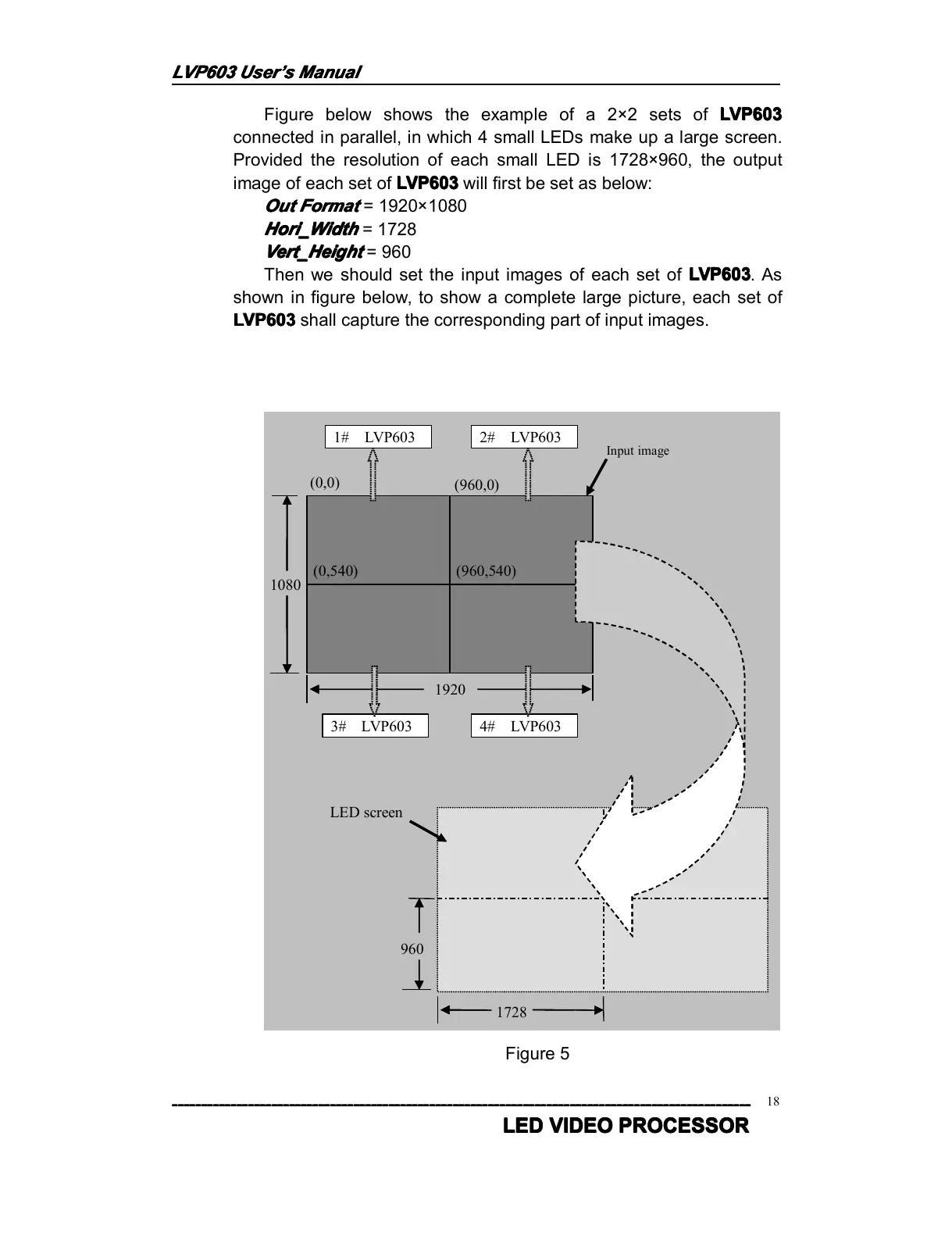
Figure below shows the example of a 2 × 2 sets of LVP603
LVP603
LVP603
LVP603
connected in parallel, in which 4 small LEDs make up a large screen.
Provided the resolution of each small LED is 1728 × 960 , the output
image of each set of LVP603
LVP603
LVP603
LVP603 will first be set as below:
Out
Out
Out
Out Format
Format
Format
Format
= 1920 × 1080
Hori_Width
Hori_Width
Hori_Width
Hori_Width
= 1728
Vert_Height
Vert_Height
Vert_Height
Vert_Height
= 960
Then we should set the input images of each set of LVP603
LVP603
LVP603
LVP603 . As
shown in figure below, to show a complete large picture, each set of
LVP603
LVP603
LVP603
LVP603 shall capture the corresponding part of input images.
1080
1920
(0,0)
(960,0)
(0,540) (960,540)
1# LVP603 2# LVP603
3# LVP603 4# LVP603
Input image
1728
960
LED screen
Figure 5



 To Next Page