2
Operation
The digital tube display the load work mode, please refer to the correspondencetable of Load Work
Mode & LED digital tube value. Pressing the key to configurethe parameter, please refer to the below
configurationmethod:
1) After Powering on, disconnect the PV or connect the PV (Voltage<5V) , the light of the digital tube
point go on; Connect the PV(Voltage>6V) ,the light of the digital tube point go off.
2)The keycanbeusedtooperateswitching on/off the load (Manual control) or clearing the faults
3) Keeping pressing the button over 5 seconds, it will go to the parameter in browsing mode
whichcancyclethroughthe parameter item byclickingthe button, after the light of the digital tube point
going on.
4) After the digital tube displaying the value what you want to configure, releasing the key and waiting
15S, Digital Tube stop flashing
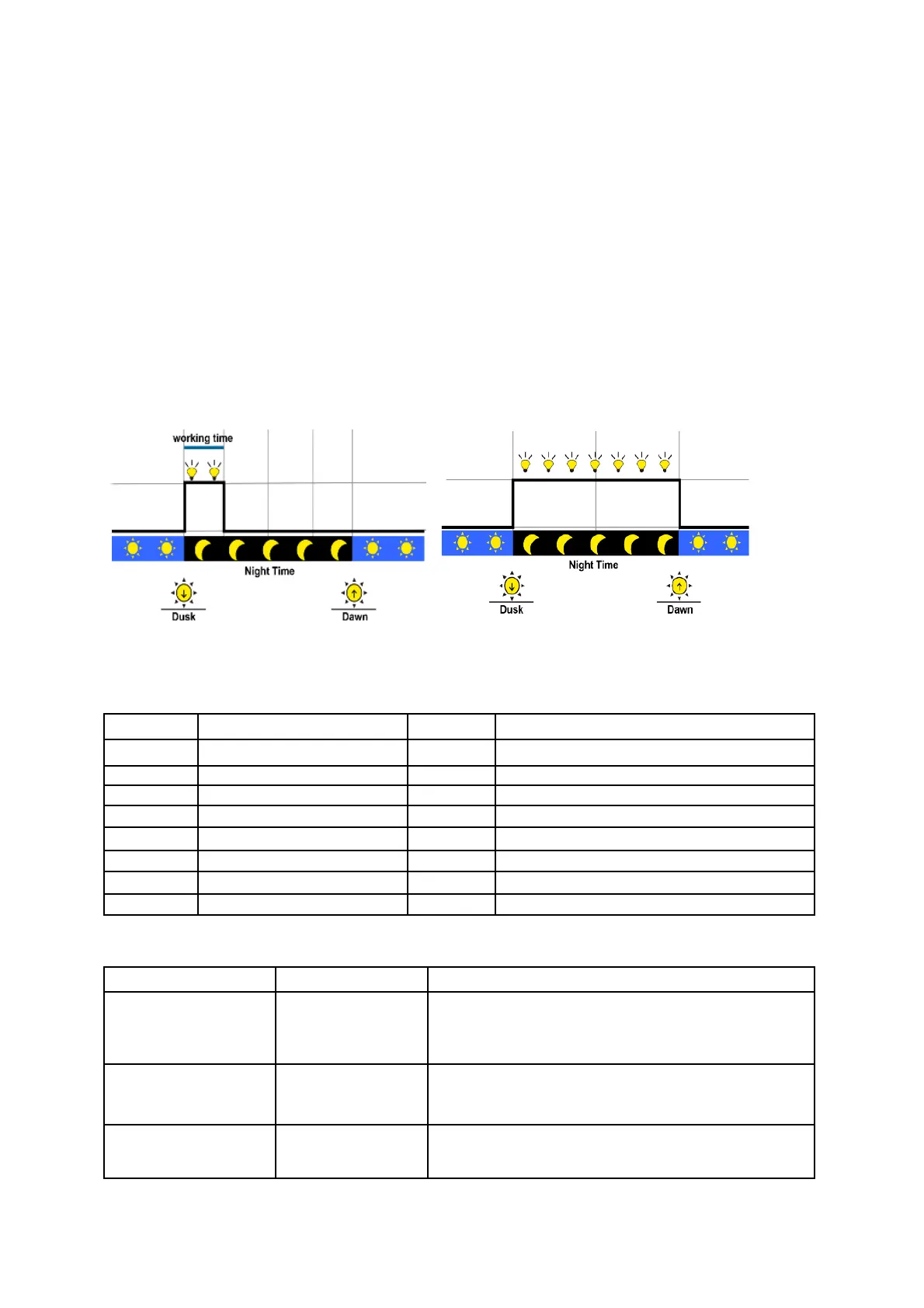
Load mode
Manual Control:Control the load via the button.
Light ON/OFF: LIGHT ON + TIMER:
Note: In the mode of Light ON/OFF and Light ON/Timer, the Load is turned on after 10 minutes delay.
Test Mode (Default):Test Mode is as same as Light Control Mode but no delay.
The correspondence table of Load Work Mode & LED digital tube value
4. TROUBLESHOOTING
Charging LED
indicator off during
daytime when
sunshine falls on PV
modules properly
Check that PV and battery wire connections are
correct and tight
Battery indicator green
fast flashing
Battery voltage
higher than over
voltage disconnect
voltage
1. Disconnect the solar array and measure the battery
voltage whether is too high; 2. Change the controller;
3. Change the battery
Battery LED indicators
red color and loads not
working
The controller cut off the output automatically. LED
indicator will return to green automatically when fully


 To Next Page
 Loading...