4 Mounting
4.1 Mounting steps
PLICSCOM can be mounted or dismounted at any time. Itis
not necessary to interrupt the power supply.
To mount, proceed as follows:
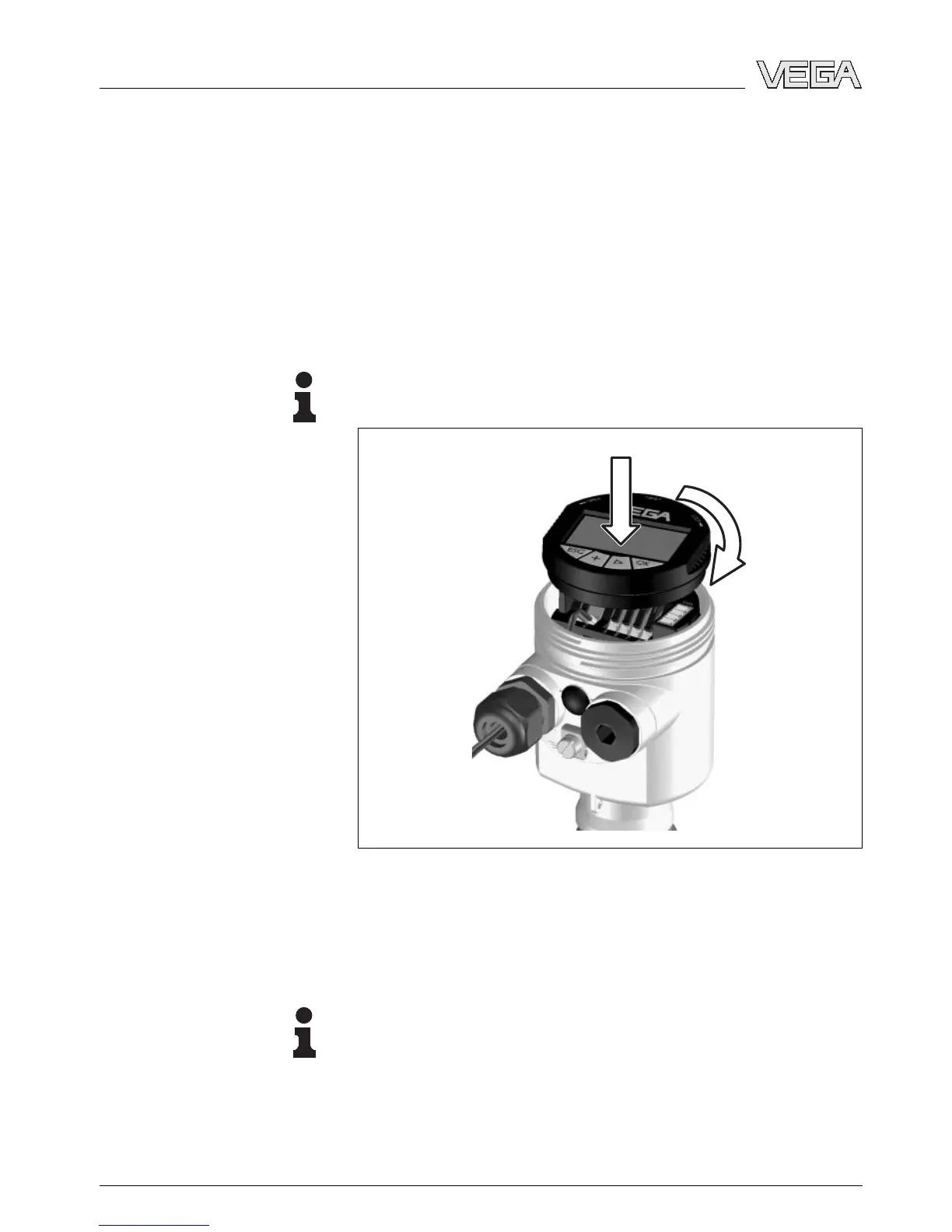
1 Unscrew the housing cover
2 Place PLICSCOM in the required position to the electronics
Information:
Four different positions are possible, each displaced by 90°.
Fig. 3: Installation of PLICSCOM
3 Press PLICSCOM lightly onto the electronics and turn it to
the right until it snaps in
4 Screw housing cover with inspection window tightly back
on
Note:
If you intend to retrofit the sensor with an indicating and
adjustment module for continuous measured value indication,
a higher cover with an inspection glass is required.
Dismounting is carried out in reverse order.
Insert/remove PLICSCOM
10 Indicating and adjustment module PLICSCOM
Mounting
27835-EN-070123


 To Next Page