Need help?
Do you have a question about the Velleman WS1070 and is the answer not in the manual?
Connect sensors and insert AA batteries into the outdoor sensor and base station.
Understand the power-up sequence, LED indicators, and the initial learning period without pressing buttons.
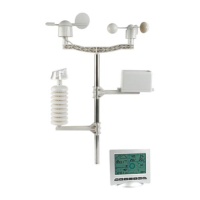
Securely mount the mast and outdoor sensors in an open area away from obstructions.
Diagrams and instructions for attaching the wind sensor to the mast.
Diagrams and instructions for attaching the rain sensor to the mast.
Configure time zone, time, date, units, and pressure settings step-by-step.
Set and manage high/low alarms for weather parameters and cancel sounding alarms.
Guidance on resolving transmission issues, illegible LCD data, and incorrect readings.
 General
| Type | Wireless Weather Station |
|---|---|
| Indoor Humidity Range | 20% to 95% |
| Outdoor Humidity Range | 20% to 95% |
| Barometric Pressure Range | 300 to 1100 hPa |
| Rainfall Display | Yes |
| Radio Frequency | 433 MHz |
| Display Type | LCD |
| Indoor Temperature Range | 0°C to 50°C |
| Transmission Range | Up to 100 meters |
| Power Supply | 2 x AA batteries (not included) |

 To Next Page