38 VELUX VELUX 39
Menu
Locate
P1
P2
Select
Back
Enter Back
P1
P2
Enter Back
P1
P2
Enter Back
P1
P2
Continue
Edit
P1
P2
Yes No
P1
P2
Enter
Back
P1
P2
P1
P2
BackEnter
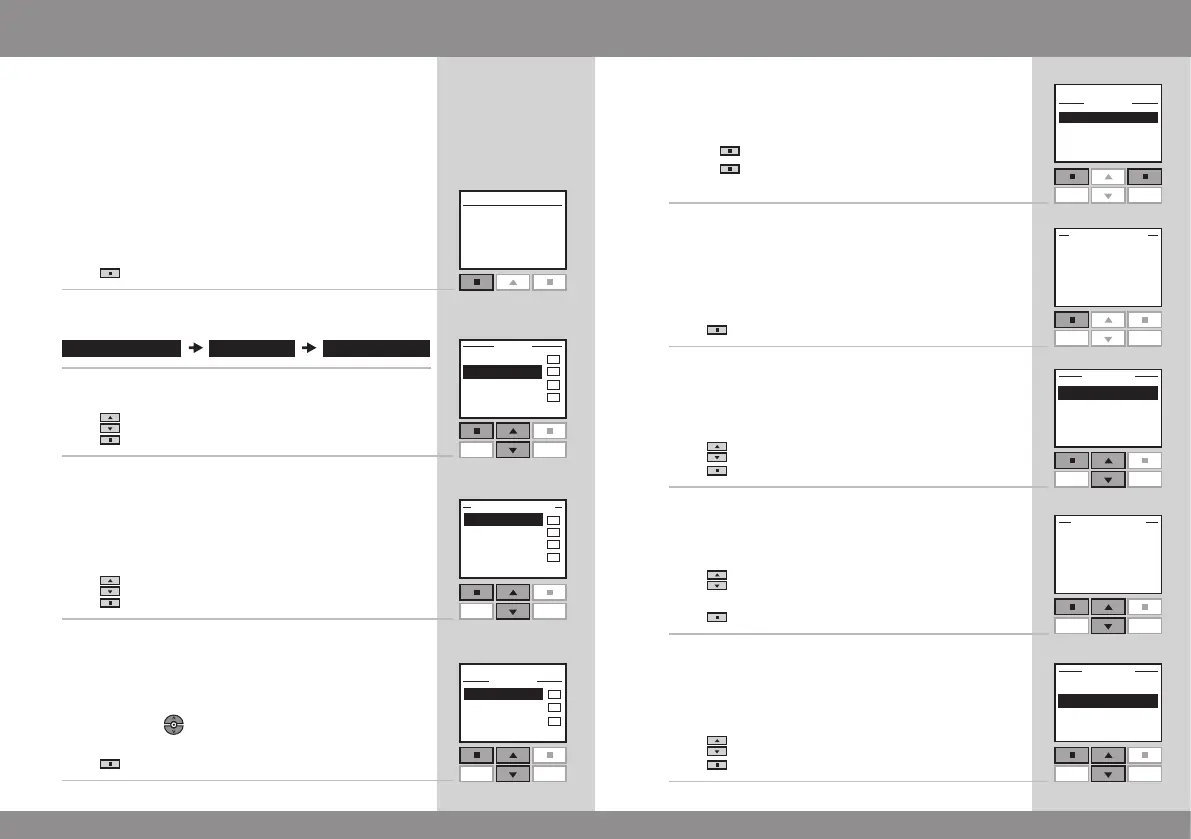
My program is an automatically activated program which
contains a sequence of operating commands for one or
more products. The sequence is automatically activated at
a pre-set time within a period defined by a starting date
and an end date.
The example shows how to program window No. 1 in
Room 1 to open at 18.30 and close again at 18.45 each
Monday for 12 months.
1
Press "Menu".
2
Scroll through the menus:
3
The display shows a list of areas.
Press to highlight "Room 1".
Press "Enter" to confirm your choice.
4
The display shows a list of the product types.
Press to highlight "Window".
Press "Enter" to confirm your choice.
5
Locate the window. The relevant product can be identi-
fied by pressing for a short period of time. This will
activate the product briefly.
Press
"Select" to choose the product.
My program
6
The display shows the selected product.
• Press
"Continue" to continue.
• Press "Edit" to return to item 3 in case of additions
or changes.
7
The display asks whether to save the selected product.
Press "Yes" to save the selected product.
8
Press to highlight "Set position".
Press "Enter" to confirm your choice.
9
Press to set the opening position of the window.
100% corresponds to fully open.
Press "Enter" to confirm your setting.
10
Press to highlight "Save position".
Press "Enter" to confirm your choice.



 To Next Page
 Loading...





