78 VELUX VELUX 79
A B
1
2
B
Menu
Locate
Enter Back
P1
P2
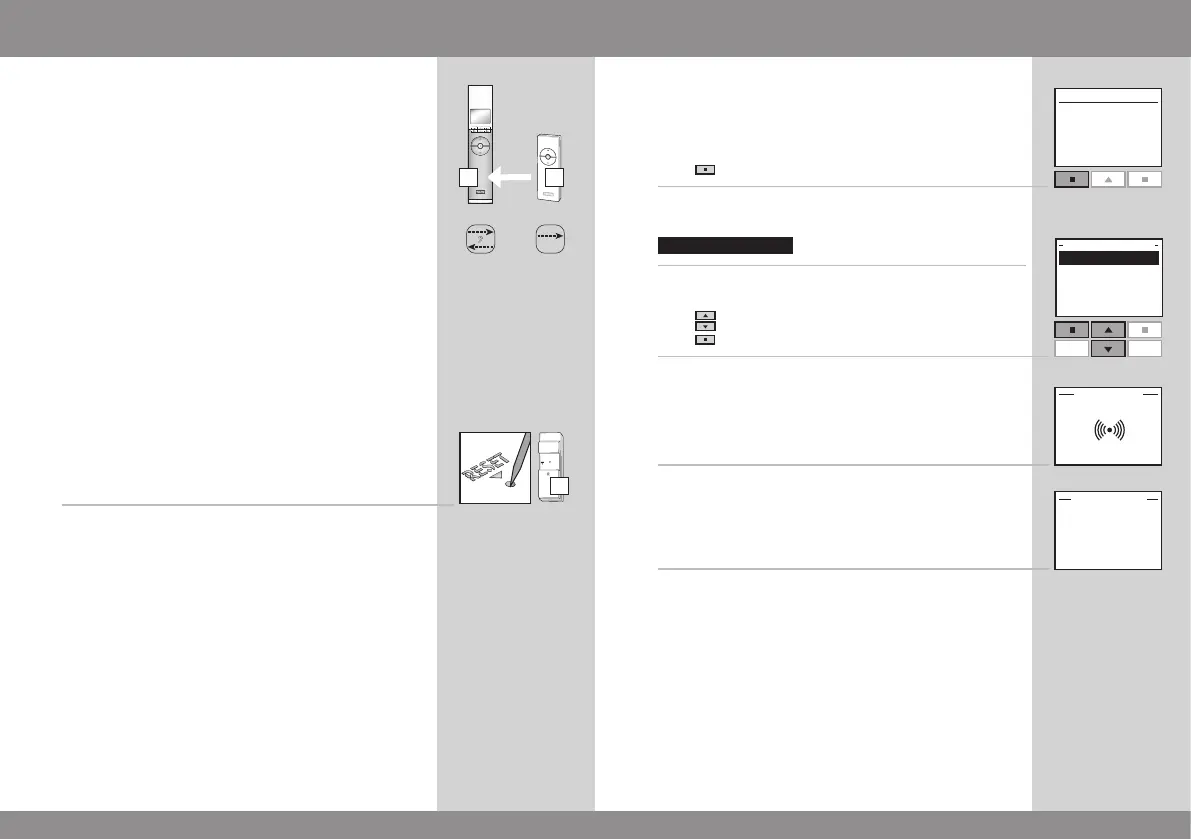
Copying products from other types of activation controls
The remote control can also operate products registered
in another type of io-homecontrol
®
activation control if
they are copied to the remote control.
The example shows how to copy products from a VELUX
one-way remote control B to a VELUX two-way remote
control A.
Step 1: Prepare activation control B for copying
1
Prepare the products in activation control B for registra-
tion by pressing the RESET button on the back with a
pointed object for at least 5 seconds.
The products must now be registered in remote control A
within the next 10 minutes.
Step 2: Register products in remote control A
2
Press "Menu".
3
Select the submenu:
4
Press to highlight "Register product".
Press "Enter" to confirm your choice.
5
Registration is running. This can take up to two minutes.
6
The display shows that the new product(s) has/have been
registered.
Now the product(s) must be placed. Please refer to the
instructions in section Registering new products, item 7a
and onwards.
Note: If remote control A is not yet in operation, execute
the items in section Initial set-up instead.



 To Next Page
 Loading...





