EasyManua.ls Logo

Venga VG RVC 3000 - User Manual

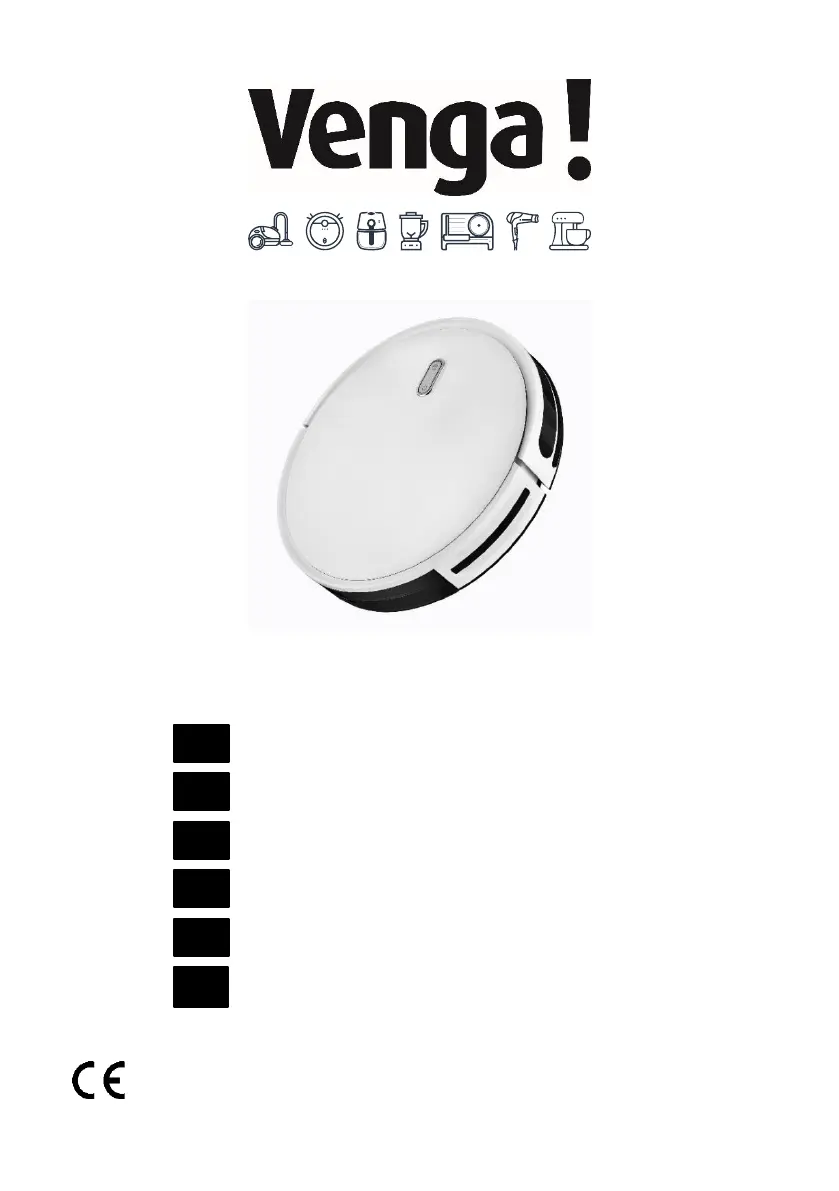
Venga VG RVC 3000
94 pages
Print Icon
To Next Page IconTo Next Page
Loading...
I/B V 210506
VG RVC 3000 DC 14.4V Li-ion 2600mAh
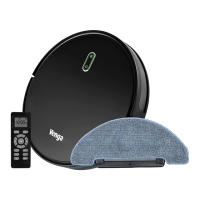
Robot vacuum cleaner
Roboterstaubsauger
Aspirateur robot
Robot aspirador
Robot aspirapolvere
Robotstofzuiger
EN
DE
FR
ES
IT
NL

Questions and Answers

  • V
    Victoria CareyAug 20, 2025
    What to do if my Venga VG RVC 3000 Vacuum Cleaner can't return to the Charging Dock?
    • T
      Tara AdkinsAug 20, 2025
      If your Venga Vacuum Cleaner robot cannot return to its charging dock or starting position, make sure that there are no obstacles in front of the charging dock or starting position. You can also wipe the charging contacts on both the charging dock and the robot with a clean, dry cloth.
  • C
    Crystal SmithAug 22, 2025
    Why is the suction power weak on my Venga Vacuum Cleaner?
    • B
      brett59Aug 22, 2025
      If the suction power of your Venga Vacuum Cleaner is weak, check for any obstructions blocking the suction inlet. Also, empty the dust bin and clean the filters using a vacuum cleaner or a cleaning brush. If the filters are wet, air-dry them completely before use.
  • E
    edward38Aug 25, 2025
    What to do if my Venga Vacuum Cleaner stops working suddenly?
    • B
      brian72Aug 25, 2025
      If your Venga Vacuum Cleaner robot stops working suddenly, check if it is trapped or stuck on an obstacle. Also, check if the battery level is too low. If the problem persists, turn off the main power switch, wait for 2 seconds, and then turn it back on.
  • K
    Kenneth ZimmermanAug 26, 2025
    Why my Venga Vacuum Cleaner can’t be charged?
    • C
      Christian AllenAug 26, 2025
      If your Venga Vacuum Cleaner robot can't be charged, check if the indicator on the charging dock lights up. If not, contact the service center to repair or replace the charging dock. Dust off the charging contact pins with a dry cloth. Check if you can hear a beep when the robot returns to the charging dock; if not, contact the service center to repair or replace the charging dock.
  • D
    danielacostaAug 28, 2025
    What to do if Venga VG RVC 3000 Robot can’t return to the Charging Dock?
    • S
      Stephanie MarquezAug 28, 2025
      If your Venga Vacuum Cleaner robot can’t return to the Charging Dock, remove objects within 3 ft/1 m to the left and right side and within 6 ft/2 m of the front of the charging base. When the robot is near the charging dock, it will return faster. Clean the charging contact pins.
  • M
    Misty MercadoAug 30, 2025
    Why are the movements of my Venga VG RVC 3000 Vacuum Cleaner abnormal?
    • M
      Megan NelsonAug 30, 2025
      If the Venga Vacuum Cleaner robot movements or travel path are abnormal, clean the sensors carefully with a dry cloth. You can also restart the robot by turning the power switch off and on.
  • F
    fischerrachelSep 1, 2025
    How to fix the rolling brush if it doesn't rotate on Venga Vacuum Cleaner?
    • H
      hrodriguezSep 1, 2025
      If the rolling brush of your Venga Vacuum Cleaner doesn’t rotate, clean the rolling brush and check if the rolling brush and brush guard have been installed properly.
  • A
    Amy McclureSep 3, 2025
    What does it mean when Venga Vacuum Cleaner has breathing red indicator light and beeps triple?
    • M
      Megan FloresSep 3, 2025
      If the Venga Vacuum Cleaner robot's cliff sensors are dirty, it is hanging over a drop edge, or it is stuck on a dark surface, start it in a new location. Otherwise, wipe its cliff sensors with a dry cloth.
  • M
    Michael YoungSep 5, 2025
    What to do if the remote control of my Venga VG RVC 3000 Vacuum Cleaner does not work?
    • A
      Allison MorrisonSep 5, 2025
      If the Venga Vacuum Cleaner remote control does not work, replace the batteries in the remote control. Also, make sure the robot is turned on and fully charged.
  • H
    hthompsonSep 7, 2025
    Why you can’t schedule cleaning on Venga VG RVC 3000 Vacuum Cleaner?
    • P
      paulameyerSep 7, 2025
      To schedule cleaning on your Venga Vacuum Cleaner, ensure the main power switch on the bottom of the robot is turned on. Also, make sure the time, time of day (AM/PM), and the scheduled time have been set correctly, and check if the robot’s power is sufficient to start cleaning.

Summary

Important Safety Precautions

Device Overview

Device Components Identification

Diagram labeling key parts of the robot like buttons, sensors, brushes, and wheels.

Remote Control Functions

Operating the Robot

Start Cleaning Cycle

How to initiate a cleaning session using the robot or remote.

Cleaning Modes

Auto Cleaning Operation

Robot maps zone, cleans edges, furniture, and returns to dock.

Floor Mopping Operation

How to attach the water tank and cloth for mopping floors.

Spot Cleaning Operation

Robot cleans a defined area spirally with boosted vacuum power.

Advanced Cleaning Functions

Max Vacuuming Cleaning

Increases suction power for deeper cleaning, consuming more energy.

Regular Robot Care

Recommended Cleaning;Replacement

Frequency guidelines for cleaning and replacing parts like bins, filters, and brushes.

Troubleshooting Guide

Robot Error Indicators

Chart detailing robot blinks/sounds and their likely causes/solutions.

Frequently Asked Questions

Robot Operational Problems

Solutions for sudden stops, scheduling, weak suction, and charging issues.

Venga VG RVC 3000 Specifications

General IconGeneral
Dust capacity0.6 L
Battery capacity2600 mAh
Battery voltage14.4 V
Dust container typeBagless
Runtime120 minutes
Diameter330 mm
Height78 mm

Related product manuals