EasyManua.ls Logo

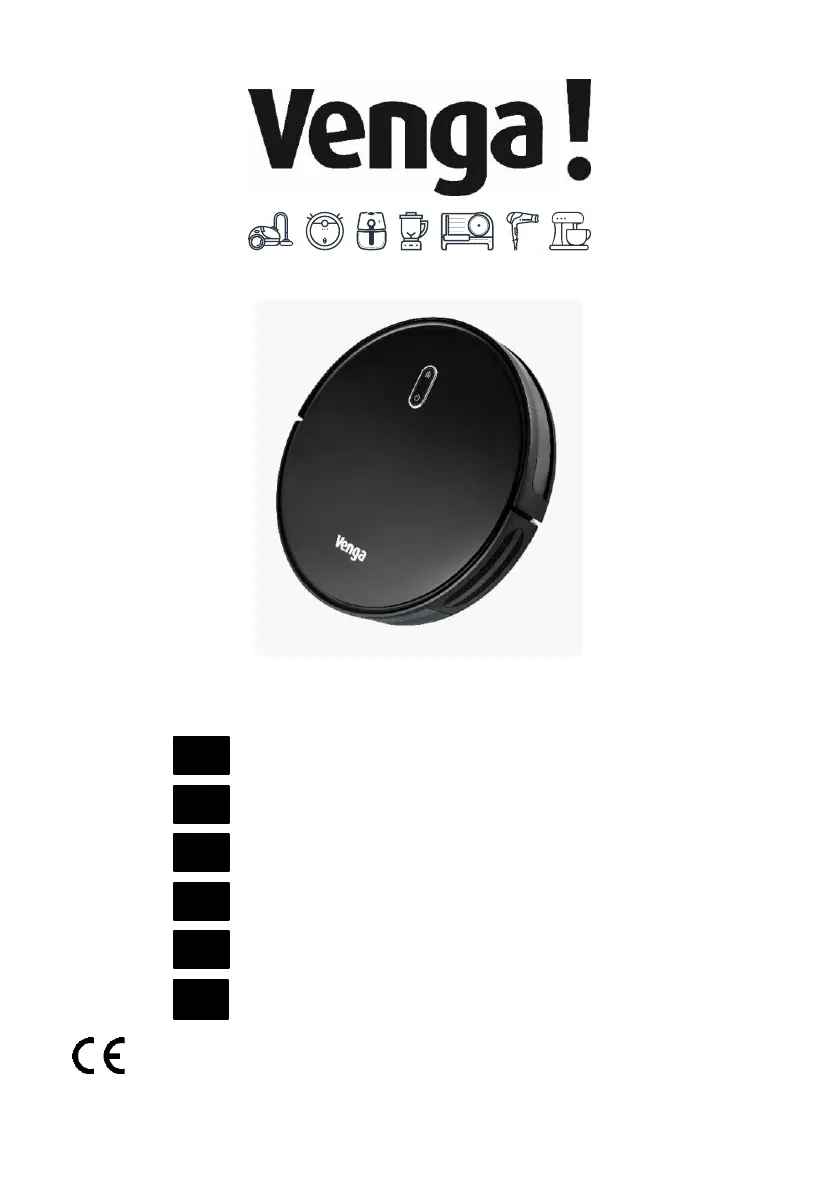
Venga VG RVC 3001 - User Manual

Venga VG RVC 3001
100 pages
Print Icon
To Next Page IconTo Next Page
Loading...
I/B V 211015
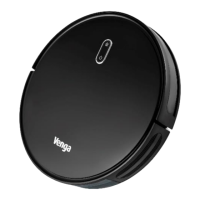
VG RVC 3001 DC 14.4V Li-ion 2600mAh
Robot vacuum cleaner
Roboterstaubsauger
Aspirateur robot
Robot aspirador
Robot aspirapolvere
Robotstofzuiger
EN
DE
FR
ES
IT
NL

Questions and Answers

  • J
    John Gomez Jr.Aug 16, 2025
    What to do if the red light is flashing on my Venga Vacuum Cleaner?
    • C
      carolyn06Aug 16, 2025
      If the red light on your Venga Vacuum Cleaner is flashing, check the bumper to ensure it moves freely. Also, clean the anti-fall sensors with a cloth, and if the robot is stuck or on a dark surface, move it. Finally, make sure there are no obstacles blocking its path back to the charging station, and clean the charging contacts on both the station and the robot.
  • G
    George MillerAug 18, 2025
    How to fix a solid red light on my Venga VG RVC 3001?
    • S
      Sarah WhiteAug 19, 2025
      If the red light on your Venga Vacuum Cleaner remains on, start by cleaning the front wheel. Then, check and clean the side brushes. Next, empty the dustbin, clean the filter, and tap the dustbin to remove any remaining debris. Finally, inspect and clean the rotating brush and its covers.
  • K
    Kristina ScottAug 22, 2025
    Why my Venga VG RVC 3001 Vacuum Cleaner won't charge?
    • P
      pennytorresAug 22, 2025
      If your Venga Vacuum Cleaner won't charge, first ensure the charging station indicator light is on. If not, you may need to contact the service center to repair or replace the charging station. Next, wipe the contact pins with a dry cloth. Finally, listen for a beep when the robot returns to the charging point; if you don’t hear one, contact the service center for assistance.
  • A
    andersondawnAug 25, 2025
    Why is the suction power weak on my Venga VG RVC 3001?
    • M
      Morgan RiveraAug 26, 2025
      If your Venga Vacuum Cleaner's suction is weak, check for blockages at the suction opening. Empty the dustbin, and clean the filters using a vacuum cleaner or cleaning brush. Ensure the filters are dry and have not been exposed to water or other liquids. Allow the filters to air dry completely before reinstalling them.
  • D
    Dawn HughesAug 28, 2025
    Why Venga VG RVC 3001 Vacuum Cleaner not returning to charging station?
    • R
      Randy SandersAug 28, 2025
      If your Venga Vacuum Cleaner is not returning to the charging station, remove any objects within 1 meter on either side and 2 meters in front of the charging base. Note that the robot will return more quickly if it is close to the charging dock. Clean the charging contact pins as well.
  • K
    Kimberly JonesAug 31, 2025
    What to do if the remote control of Venga VG RVC 3001 is not working?
    • M
      Mr. Manuel JenningsAug 31, 2025
      If the remote control for your Venga Vacuum Cleaner isn’t working, replace the batteries in the remote. Also, make sure the robot is turned on and fully charged.
  • T
    tylermillerSep 3, 2025
    Why does my Venga VG RVC 3001 stop suddenly?
    • D
      Danny PayneSep 3, 2025
      If your Venga Vacuum Cleaner suddenly stops, make sure it isn’t stuck or blocked by something. Check the battery level to ensure it’s not too low. If it continues to happen, turn the main switch off, wait 2 seconds, and then turn it back on.
  • W
    William MccormickSep 6, 2025
    How to fix a Venga VG RVC 3001 with a rotating brush that won't turn?
    • R
      Rebecca ThorntonSep 6, 2025
      If the rotating brush on your Venga Vacuum Cleaner isn't turning, clean the brush and make sure that the brush and brush guard are installed correctly.
  • E
    Erik BurnsSep 9, 2025
    What to do if Venga VG RVC 3001 movements are abnormal?
    • D
      Dennis BuckleySep 9, 2025
      If your Venga Vacuum Cleaner is moving erratically, clean the sensors carefully with a dry cloth. Then, restart the robot by turning the power switch off and on.
  • D
    David BensonSep 12, 2025
    Why my Venga Vacuum Cleaner won't turn on?
    • J
      James SheltonSep 12, 2025
      If your Venga Vacuum Cleaner won't turn on, ensure the main switch is in the ON position and the battery is fully charged. Replace the remote control batteries (2 AAA) and make sure the remote is within 5 meters. If it still doesn't work, turn the main switch off and then on again.

Summary

English User Guide

Important Safeguards

Critical safety instructions for operating the appliance and preventing hazards.

Remote Control Operation

Quick Start Guide

Charging Dock Placement

Instructions for positioning the charging dock correctly for optimal robot access.

Installing Side Brushes

Procedure for attaching the side brushes to the robot.

Activating Main Power

Steps to turn on the robot's main power switch.

Robot Activation and Charging

How to place the robot on the dock to activate and begin charging.

Starting, Pausing, and Powering Off

Procedures for initiating, stopping, and turning off the robot.

Home Cleaning Modes

Automatic and Edge Cleaning

How the robot cleans open areas and along walls automatically.

Cleaning Schedule Setup

Wi-Fi Configuration and App Control

Care and Maintenance

Troubleshooting Error Tones

Robot Error Indicators

Chart correlating robot sounds and lights with likely causes and solutions.

Frequently Asked Questions (FAQ)

Venga VG RVC 3001 Specifications

General IconGeneral
Dustbin Capacity0.6 L
Battery Capacity2600 mAh
Dust capacity0.6 L
Cord lengthCordless
Noise level65 dB
TypeRobot
Charging Time5 hours

Related product manuals