Need help?
Do you have a question about the Venga VG RVC 3002 and is the answer not in the manual?
This document describes the Venga! VG RVC 3002 robot vacuum cleaner.
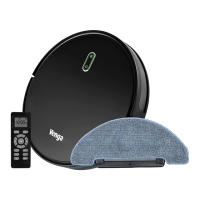
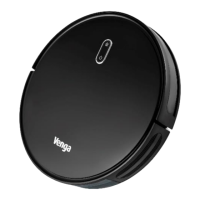
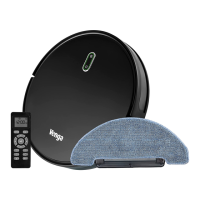
The Venga! VG RVC 3002 is a robot vacuum cleaner designed for indoor cleaning of various floor types, including wood floors, rubber floors, ceramic tiles, and short-haired carpets. It features both vacuuming and mopping functions. The device can be controlled via an ON/OFF button, a remote control, or a dedicated app with Alexa/Google Assistant integration. It offers multiple cleaning modes, including Auto Cleaning, Spot Cleaning, Edge Cleaning, and Max Cleaning, as well as a scheduling function. The robot is equipped with anti-fall sensors to prevent it from falling down stairs and anti-collision sensors to avoid obstacles. It automatically returns to its charging station when the battery is low or cleaning is complete.
The robot vacuum cleaner operates on a 14.4V Li-ion battery with a capacity of 3200mAh. It supports 2.4GHz Wi-Fi for app connectivity. The dust tank and water tank are integrated, allowing for both dry vacuuming and wet mopping. The device includes a primary filter and a HEPA filter for efficient dust collection. The charging station has a signal emitter window, an indicator light, a power adaptor plug, and load contact points.
Charging: Before first use, the battery needs a full charge, which takes approximately 4 hours. The robot should be charged at room temperature between 4 and 40°C. To charge, connect the power adapter to the charging station and plug it into an electrical outlet. The robot will automatically return to the charging station if it's connected. A flashing green LED indicates a low battery, breathing green means charging, permanent green means fully charged, flashing blue means standby, and permanent blue means vacuuming is operating.
Installation: Side brushes are installed by pushing them into the slots on the underside of the robot, ensuring the correct "L" or "R" placement. The main power switch is located on the side of the robot.
Quick Start: Turn on the main power switch. Press the ON/OFF button to wake up the robot from sleep mode or to start cleaning. Press it a second time to pause cleaning, and again to resume. Press the "Back to Base" button on the remote control to send the robot back to the charging station.
Remote Control: The remote control requires 2 AAA batteries. It allows users to start/stop cleaning, return the robot to the charging station, and guide the robot forward/backward and left/right.
Cleaning Modes:
Floor Mopping: To use the mopping function, fill the water tank and attach the mop. The robot is equipped with a water tank with drip-stop control. The water flow can be adjusted via the remote control (closed, low, medium, high). It is important not to use the mop outdoors or on carpets.
Time Setting: The robot's clock can be set using the remote control, including the date and time, and a cleaning schedule can be programmed.
App Operation: The Venga! VG RVC 3002 can be connected to an app for advanced control, including:
Regular maintenance is crucial for the robot's performance and longevity.
Dust Tank:
Water Tank:
Mop:
Central and Side Brushes:
Wheels, Sensors, and Load Contacts:
Recommended Cleaning/Replacement Frequency:
Troubleshooting: The robot provides LED signals for distress.
Environmental Protection: The device should be disposed of in an ecological manner, separating it from unsorted municipal waste. Batteries should be removed and disposed of at a designated collection point. If battery liquid comes into contact with skin or clothes, clean immediately with clear water and consult a doctor. Repairs should only be performed by a competent qualified electrician.
 General
| Brand | Venga |
|---|---|
| Model | VG RVC 3002 |
| Category | Vacuum Cleaner |
| Language | English |


 To Next Page