14
Wi-Fi Set Up
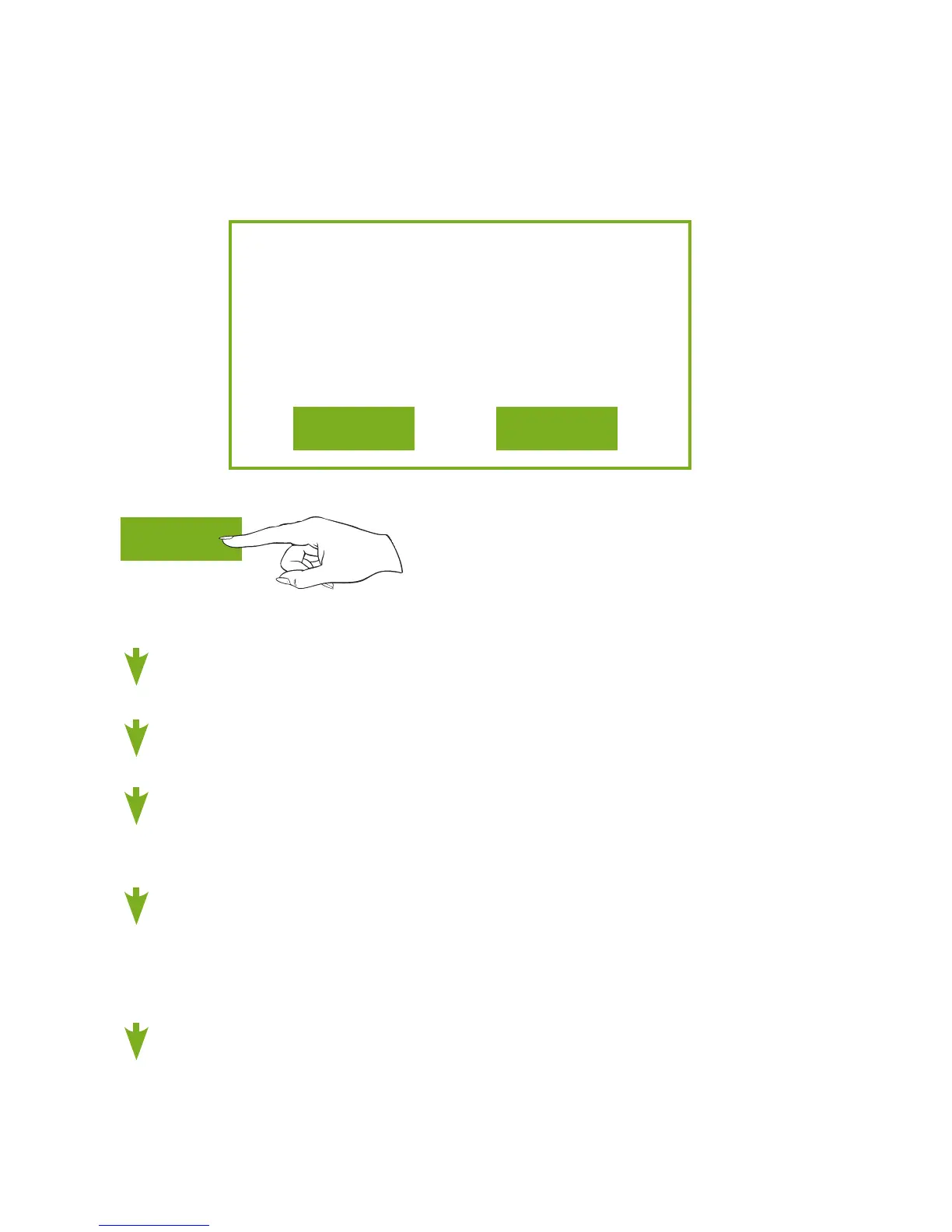
No Wi-Fi access points are
configured for your thermostat.
Would you like to set up one now?
YES NO
Press YES
Selecttheaccesspointyouwishtoconnecttofromthelist.
EnterthepasswordfortheWi-FiAccessPointandpressNEXT.
SelectautomaticsetupandpressNEXT.
Whenfinished,adialogboxwillappearconfirmingthesuccessful
connectiontothelocalWi-FiAccessPoint.
SelectOK,thentheWi-Fistatuspagewillappear.Uponclosing
oftheWi-Fistatuspage,youwillbeaskedtojointhethermostat
toaSkyportaccount.
SelectYES and follow the onscreen instructions to create a new
Skyportaccountortoaddthethermostattoanexistingaccount.
YES
Quick Start - Connect to Wi-Fi (from initial start up)
When power is connected to the thermostat and it has not been
configuredtoconnecttoaWi-FiAccessPoint,thefollowing
message appears:








 To Next Page