
 Need help?
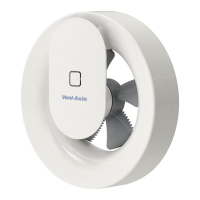
Do you have a question about the Vent-Axia SVARA and is the answer not in the manual?
Young children and infirm persons require supervision when using this appliance.
Supervise young children to prevent them from playing with the fan.
Learn how to loosen the motor unit and wall frame for installation.
New installations require drilling a Ø110 mm hole using a hole saw.
All electrical connections must be performed by a qualified electrician.
Securely attach the fan cover to the wall frame after making electrical connections.
Automatic ventilation with trickle speed, humidity boost, and light sensor control.
Control fan operation via remote switch with overrun feature, configurable via app.
Automatic humidity-based ventilation control, adjustable via app.
Basic on/off fan control using a remote switch, configurable via app.
Automatic ventilation with trickle speed, humidity boost, and light sensor control on 12VDC.
Basic on/off fan control using switch C for 12VDC operation.
Humidity-based ventilation control for 12VDC systems, adjustable via app.
Activate the Vent-Axia Connect app using a unique code found on the unit or guide.
 General
| Humidity Sensor | Yes |
|---|---|
| Timer | Yes |
| Color | White |
| Mounting | Wall/Ceiling |
| Fan type | Axial |
| Material | Plastic |
| Frequency | 50 Hz |
| Application | Bathroom |





 To Next Page
