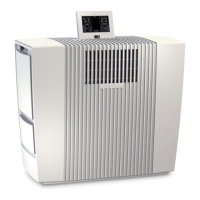
8ENVenta LPH60 WiFi
A D
CLEANING & MAINTENANCE
Note/Interval Actions
A Fill Tank Water tank 4 empty, ll with fresh water. Yellow: humid-
ication is still taking place. Red: no humidication is
taking place.
Cleaning The cleaning process requires (1) 250 ml bottle of
Venta Cleaner. Please run the cleaning program by
pressing the button CLEANING 9. Please follow the
instructions on the display. Duration approx. 4 h.
Attention! Make sure that the appliance is switched o and the
power plug is disconnected.
B Change Filter Open the fragrance/lter compartment 7, remove the
pre-lter 9. Remove the VENTAcel lter 10 and replace
it. Re-assemble the device and touch the OK indicator
in the display again and hold it for 3 seconds until it
disappears.
The lifespan of the VENTAcel lter is 1 year (with 24/7 operation) and de-
pends on the number of operating hours and the air quality in the room.
VENTA APP
The device functions can be expanded and
controlled with the Venta app. The Venta app
is available for smartphones and tablets. You
can download the Venta app at the following
website: www.venta-luftwaescher.de
Then follow the instructions on your smartphone/tablet screen. When a con-
nection is being established between the app and the device, a signal tone is
emitted. Now conrm connection establishment to your smartphone/tablet on
your device.
YES NO
WIFI-AUTHORISATION
INCOMING WIFI REQUEST.
<Your Venta-App Connection>
ALLOW ACCESS?


 To Next Page