EasyManua.ls Logo

VentMed DS-7 - Customizing Therapy Settings

Default Icon
41 pages
Print Icon
To Next Page IconTo Next Page
To Previous Page IconTo Previous Page
Loading...
User Guide
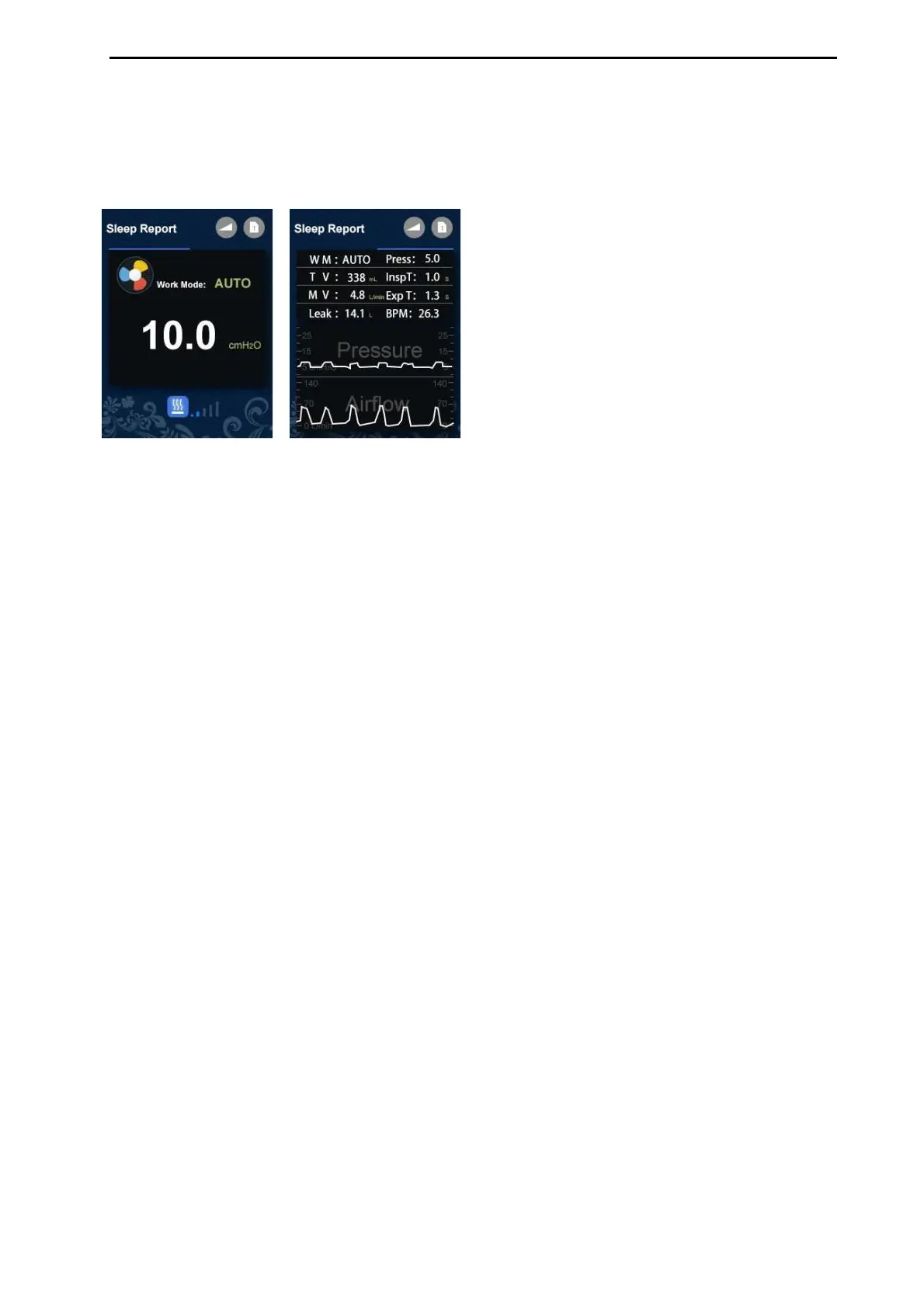
Sleep Report
1. In work interface, press Up or Down button to check sleep report date and
waveform.
W M: Work Mode
Insp T: Inspiratory Time
Time
Press: Therapy Pressure
M V: Minute Volume
T V: Tidal Volume
Exp T: Expiratory
Leak: Air Leakage
BPM: Breaths Per Minute
My Options
The device has been set up for your needs by your care provider, but you may want
to make small adjustments to make your therapy more comfortable.
Highlight My Options and press Up/Down button to see current setting. You can
personalize your options.
Ramp Time
Designed to make the beginning of therapy more comfortable, Ramp Time is the
period during which the pressure increases from a low start pressure to the
prescribed treatment pressure. You can set Ramp Time from 0 to 60minutes.
6

Related product manuals