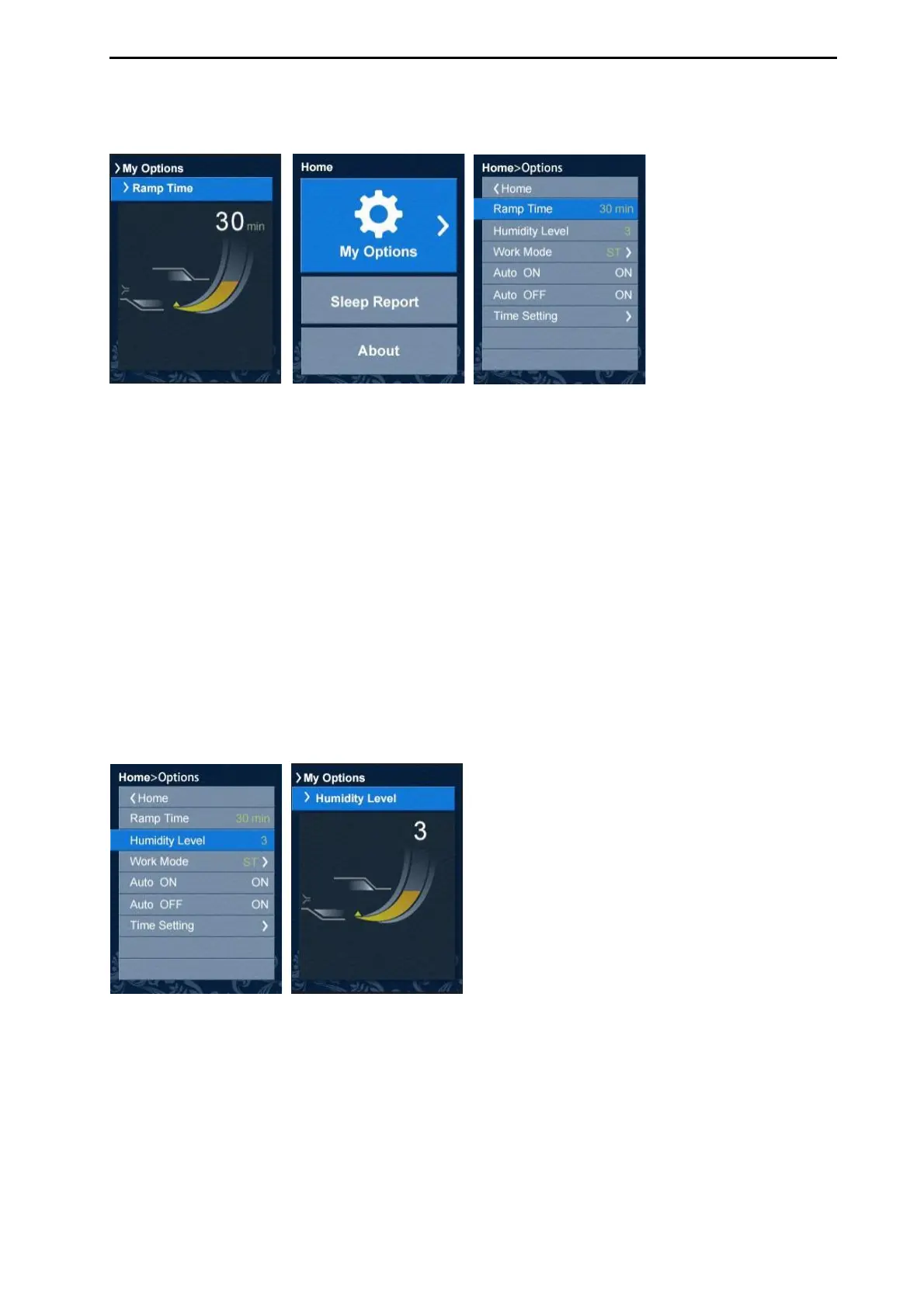
1. In Options, press enter button to highlight Ramp Time.
2. Press up/down button to adjust the ramp time to your preferred setting.
3. Press enter button to save the change.
The humidifier moistens the air and is designed to make therapy more comfortable.
Can set the Humidity Level to off (0) or between 1 and 5, where 1 is the lowest
humidity setting and 5 is the highest humidity setting.
To adjust the Humidity Level:
1. In Options, press enter button to highlight Humidity Level.
2. Press up/down button to adjust humidity level.
3. Press enter button to save the change.



 To Next Page