7
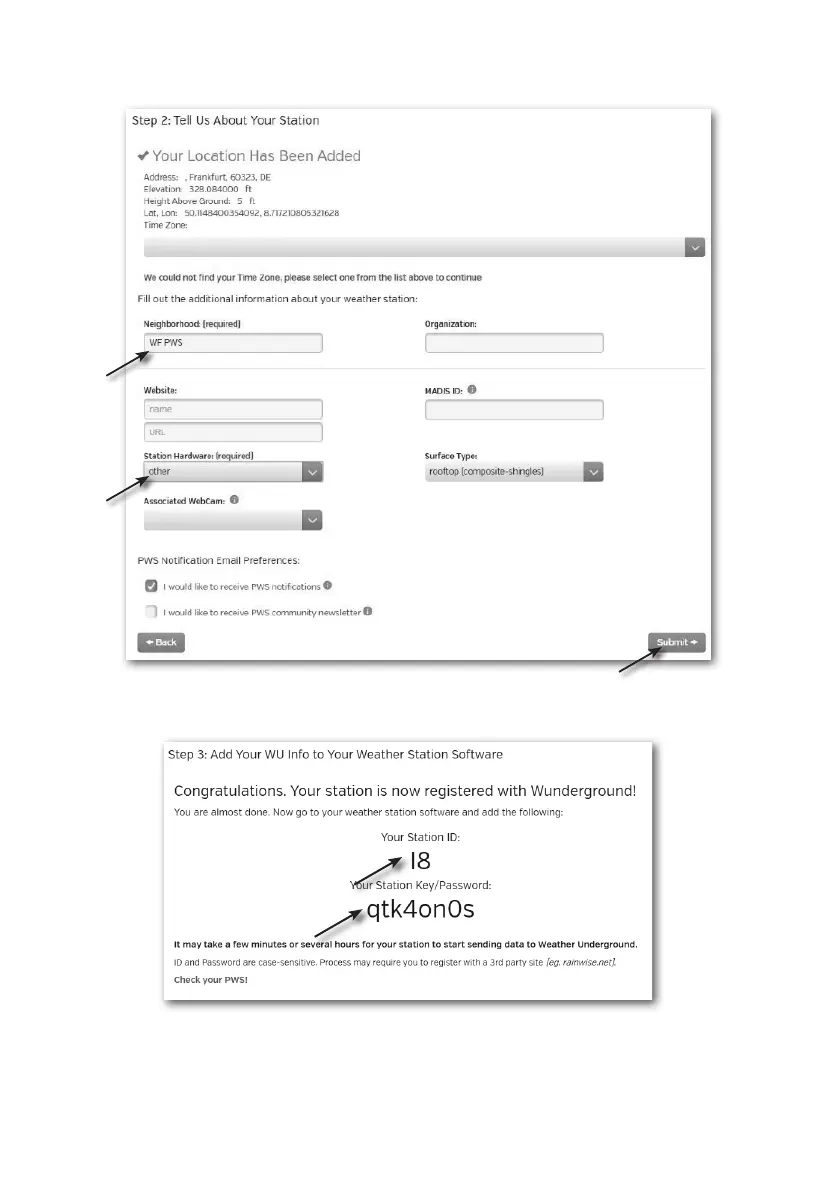
3. Follow their instruction to enter your station information, in the Step 2, enter a name for
your weather station, then choose “Other” in “Station Hardware” section. Once you have
completed, click “Submit” to create your station ID and key.
4. Jot down Your "Station ID" and "Station key" for the further setup step.



 To Next Page