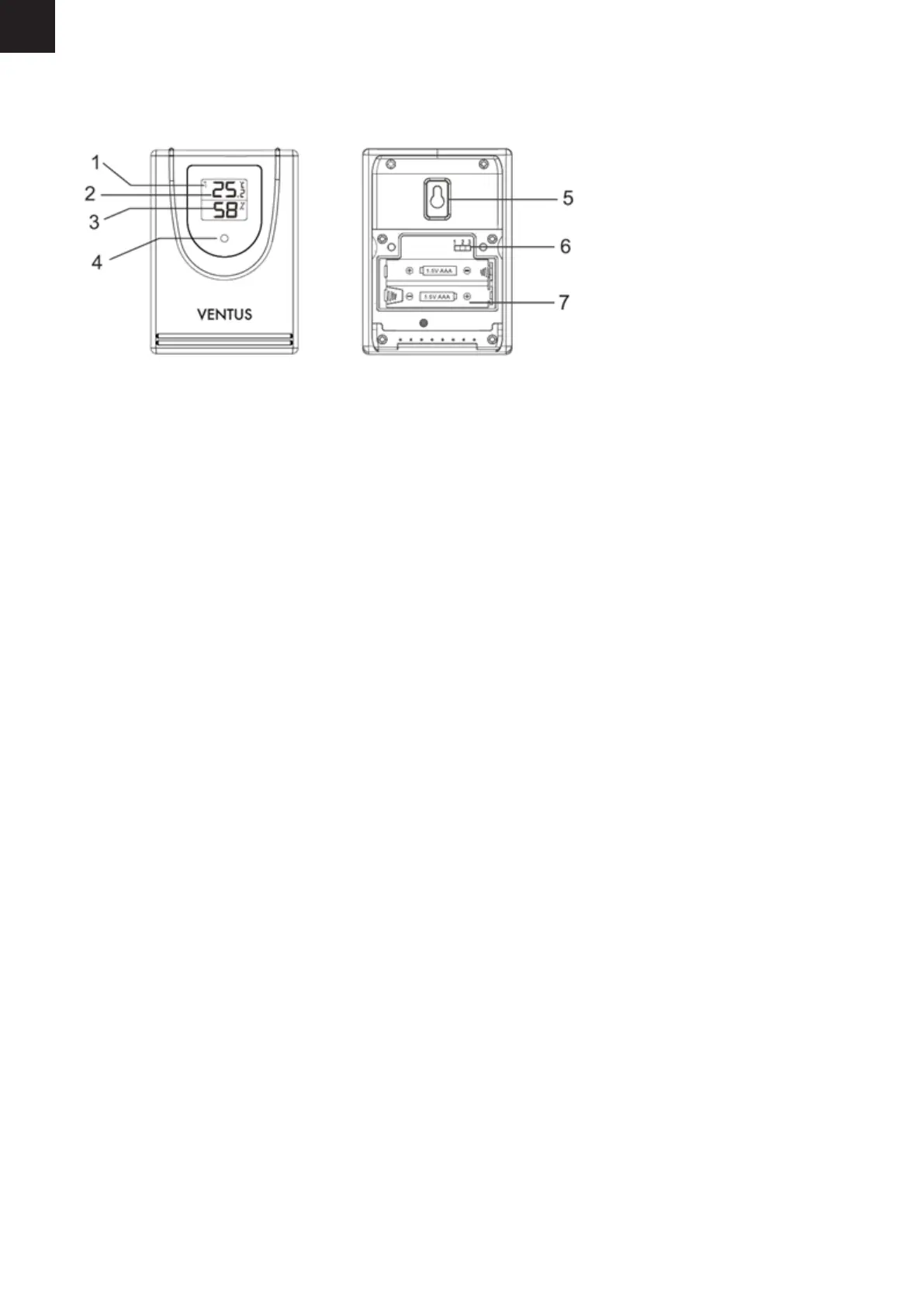
Sensor
Function keys (outdoor sensor)
1. Current channel
2. Outdoor temperature
3. Outdoor humidity
4. Red pilot light
5. Loop for hanging
6. Sliding swith 1 2 3: Set sensor number (transmission channel)
7. Battery compartment
Setup
Follow the instructions in the order described and rst put the batteries in the wireless sensor. This is
the only way for the weather station to function without any problems. Do not press any buttons while
switching the device on.
Battery operation
1. Remove the battery compartment cover.
2. Insert 3 AAA / 1.5 V batteries facing in the direction indicated on the bottom of the battery
compartment. Make sure that the poles of the batteries are correct (+/-).
3. Put the battery compartment cover back in place and close it.
4. Wait several minutes. The base unit needs this time to collect all the weather data and to receive
radio signals from the time signal transmitter.
GB



 To Next Page