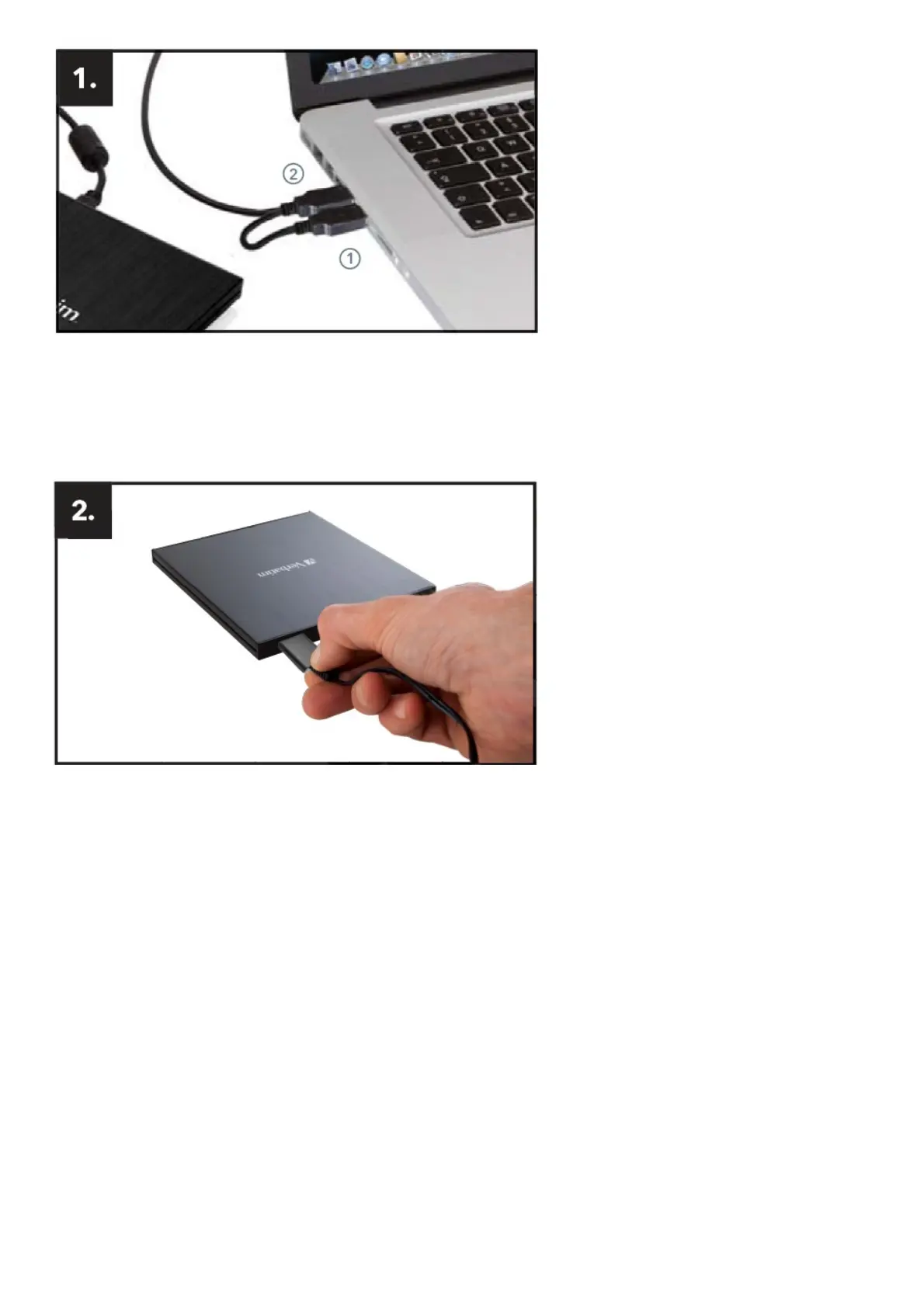
Connect the USB cable to the interface port of your computer.
USB – power (optional)
USB – data transfer
If the USB bus on your computer does not provide enough power to run the drive, connect the USB power cable.
Connect power (1) before connecting data transfer (2).
Connect the USB interface cable to the Verbatim External Slimline Blu-ray Writer.
External Slimline CD / DVD Writer USB-C™, External Slimline Blu-ray Writer USB-C™ and External Slimline
Blu-ray Writer Ultra HD 4K USB-C™



 To Next Page