Moneris Core® V400c Terminal: Setting up Your Hardware 5
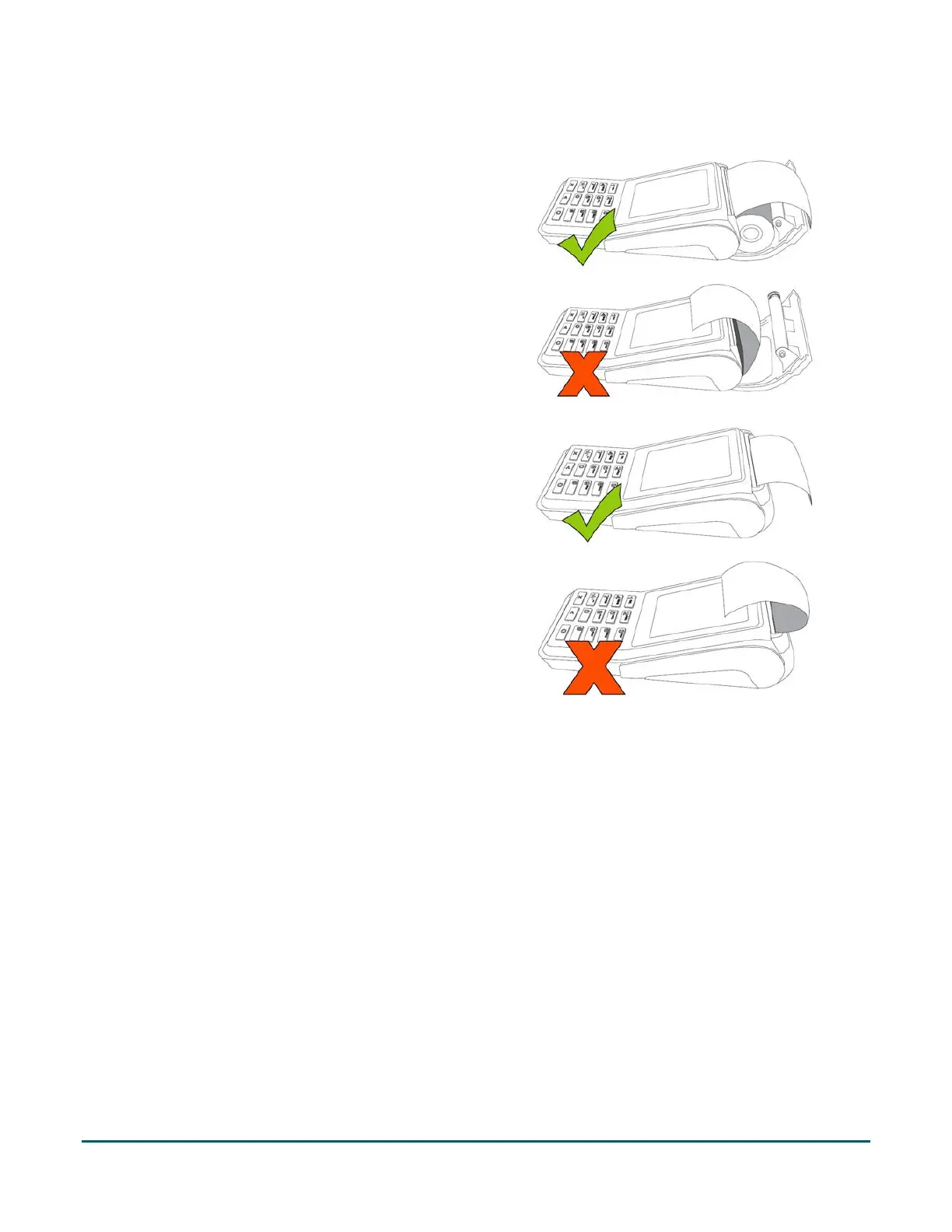
2. Insert the paper roll into the paper well with the
loose end unrolling from the top of the roll toward
the back of the terminal.
Note: If the paper is installed backward, your
printouts will be blank.
3. Unroll enough paper to extend at least one inch
(2.5 cm) over the top of the lid.
4. Close the lid, and press down to snap it back into
place so that the extended paper is pressed
securely against the top of the closed lid.
Note: The paper should unroll back over the top
and back of the terminal, not unroll over the
faceplate.
5. Your hardware setup is complete. To set up your software, refer to the Moneris Core® V400c Setting up
Your Software guide available at moneris.com/support-v400c.


 To Next Page
 Loading...