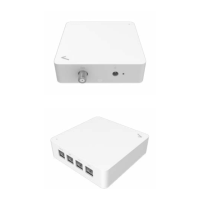
3.3 Installing the device
3.4.1 Use the Stream TV MoCA Ethernet Adapter as coaxial connection between your router and Stream TV device.
1.
Verify that the MoCA capable router in your home is connected to a coax outlet at the router location.
2.
Connect a coaxial cable from the coax outlet to the “Data” port on the Stream TV MoCA Ethernet Adapter.
3.
Connect the provided USB cable from your Stream TV device to the “USB” port on the Stream TV MoCA Ethernet Adapter.
4.
Connect your laptop, desktop, or game console devices to the “LAN” port on the Stream TV MoCA Ethernet Adapter.
5.
Connect the provided AC power cable to the Stream TV MoCA Ethernet Adapter.
6.
Wait for the system light to turn solid white. This indicates that the Stream TV MoCA Ethernet Adapter has successfully
formed a network with the router.


 To Next Page