GETTING TO KNOW YOUR VERIZON
INTERNET GATEWAY FOR BUSINESS
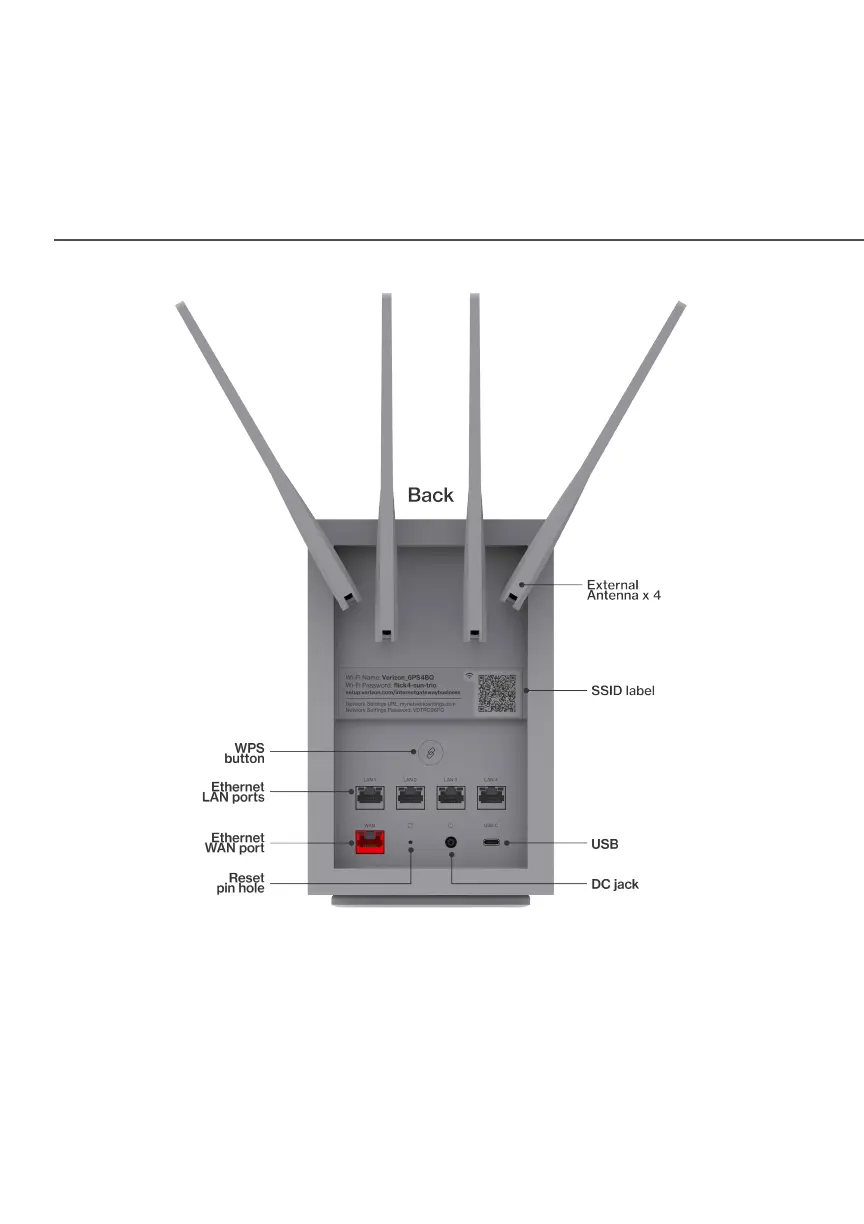
1.1a/ RESET PIN HOLE
The reset PIN hole allows you to reset the gateway back to its factory
default state. Using the reset function will revert all settings and changes
made during the setup process. To perform a factory reset and return the
Verizon Internet Gateway for Business to default settings, press and hold the
reset PIN hole for 3+ seconds. The System LED will flash yellow to indicate a
reset has been triggered, followed by fading in/out (white) while the gateway
restarts.




 To Next Page