37
2. Press the Right Soft Key [Options].
3. Select Add 2-Sec Pause, and then press the OK Key.
4. Enter additional number(s) (pin number or credit card
number).
5. Press the Send Key to dial or the Left Soft Key[Save].
Use Speed Dials
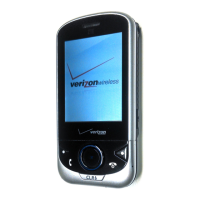
Your phone is capable of storing Speed Dial numbers
that can be quickly dialed from idle mode.
One, Two, Three-Touch Dialing
Ideal for frequently dialed numbers, this feature allows
contact entries to be dialed via the keypad with only one,
two, or three key presses.
One-Touch Dialing:
1-9: Slide the phone up, then press and hold the number
you wish to connect to for more than 1 second.
1: Speed Dial entry 1 (Voicemail) is already assigned.
Two-Touch Dialing:
10-94: Slide the phone up, then press the first digit and
press and hold the second digit of the number to dial.
95, 96, 97, 98 and 99: Speed Dial entries 95(#Warranty
Center), 96(#DATA), 97(#BAL), 98(#MIN) and 99(#PMT)
are already assigned to Verizon Wireless Account Information.
Three-Touch Dialing:
100-999: Slide the phone up and press the first and second
digits, then press and hold the third digit of the number to dial.



 To Next Page