7
Verizon V100 and Verizon V100AM– more than just a telephone
V100_V100AM / USA EN / A31008-M1908-R301-1-6019 / starting.fm / 12.3.08
Verizon V100 and Verizon
V100AM–
more than just a telephone
Your phone not only lets you store up to
50 phone numbers (page 13), it can do a
whole lot more:
u View missed calls on your phone
(page 14).
u Select the 12- or 24-hour format for dis-
playing the time (page 9).
u ECO DECT uses a power supply with
low power consumption. Your handset
reduces the transmission power
depending on its distance from the
base station (close-up range).
Headset socket
Which headsets are compatible?
Please call the Verizon Service number
1-866 374 3864 or contact us at
http://www.verizon.com
for information.
Have fun using your new phone!
First Steps
Pack contents
u One Verizon V100 or Verizon V100AM
base station
u One telephone line cord
u One AC adapter for base station
u One User Guide
For Verizon V100-1 or Verizon V100AM-1
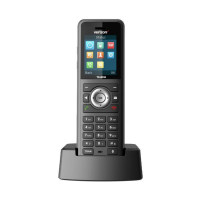
u One Verizon V100H handset with bat-
tery cover
u Two batteries
u One belt clip
For Verizon V100-2 or Verizon V100AM-2
u Two Verizon V100H handsets with bat-
tery cover
u One Verizon V100C charging cradle
u One AC adapter for charging cradle
u Four batteries
u Two belt clips
For Verizon V100-3 or Verizon V100AM-3
u Three Verizon V100H handsets with
battery cover
u Two Verizon V100C charging cradles
u Two AC adapters for charging cradle
u Six batteries
u Three belt clips
Installing the base station
The base station is designed for use in
closed, dry rooms in a temperature range
of +41°F to +113°F.
Set up the base station at a central point
on the premises.
Please note:
u Never expose the phone to heat
sources, direct sunlight, or other elec-
trical appliances.
u Protect your phone from moisture,
dust, corrosive liquids, and vapors.
Note:
The transmission power of the base station is
nearly turned off when the handset is placed
in the base station and only one handset is reg-
istered on the base station.
Caution:
Do not charge the handset in charging unit or
base station while the headset is connected.



 To Next Page