Installation
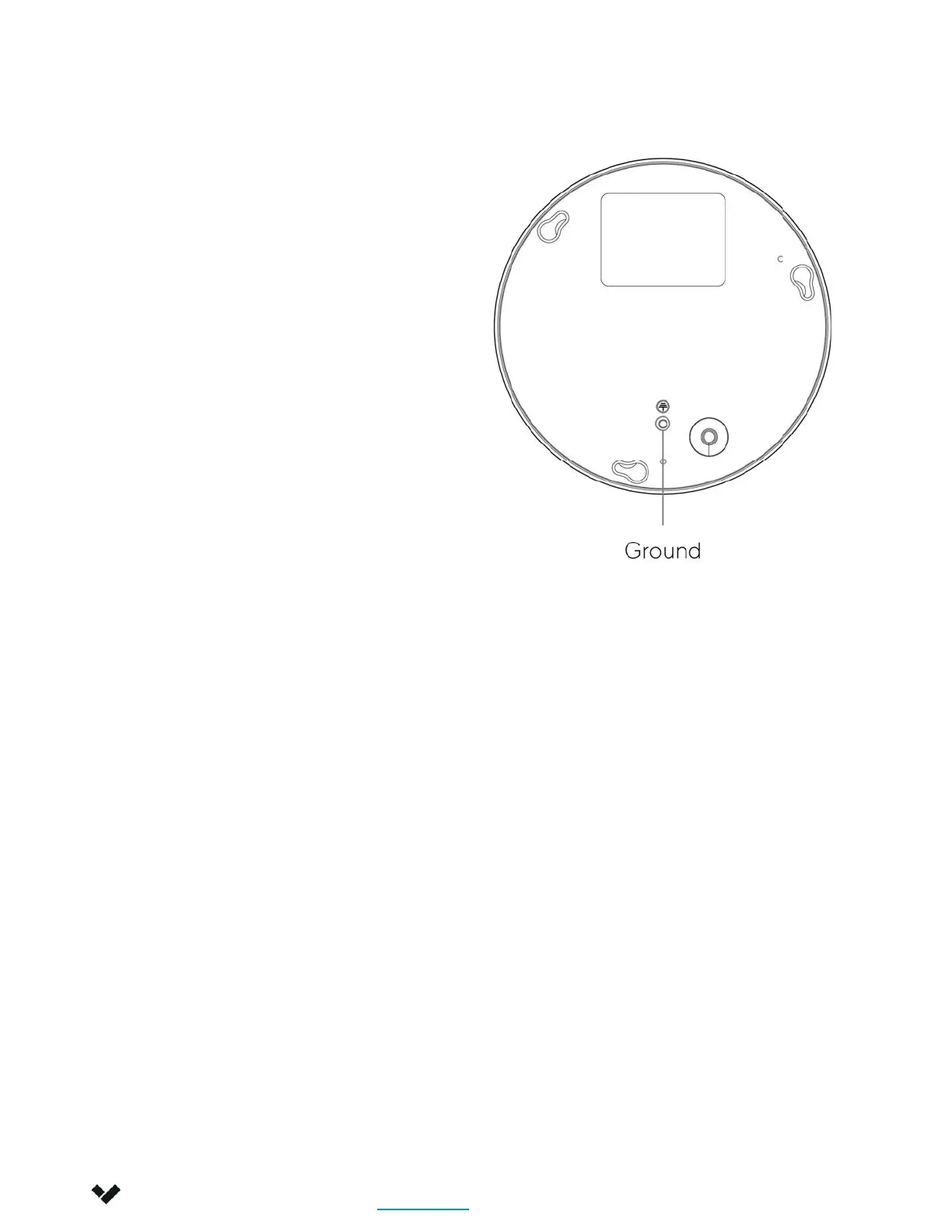
Grounding
Note
In order to attach the
green-yellow grounding cable to
the camera, perform the
following:
Align a 20AWG or larger
grounding cable with a ring
terminal and drive an M4-0.7 x
6mm screw (not included)
through the terminal and into the
threaded grounding point on the
back of the device as shown
above.
Attach the other terminal of a
grounding cable directly to a
circuit breaker, ground rod or
earth ground.
This unit is powered by PoE
through a UL Listed ITE.
Verkada Inc. 405 E 4th Ave, San Mateo, CA 94401
Verkada Inc. 405 E 4th Ave, San Mateo, CA 94401
sales@verkada.com
All specifications are subject to change without notice
Copyright © Verkada Inc. All rights reserved.
12



 To Next Page