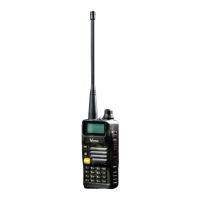
Need help?
Do you have a question about the versa Quicktalk Go and is the answer not in the manual?
Instructions on how to charge the radio's battery, including LED indicators.
Guidance on attaching, removing, and locking the battery pack to the transceiver.
How to turn on the radio and adjust the volume using the power/volume knob.
Procedure for rotating the channel selector knob to choose a desired channel.
How to use the Push-To-Talk button for calls and receiving signals.
How the monitor button disables CTCSS/DCS and adjusts sound level.
Step-by-step guide for disassembling and assembling the radio components.
Measuring maximum and minimum receive sensitivity, TX power, and VSWR.
Verifying battery and charger voltage measurements against specifications.
Details the process of programming the radio using the Quicktalk Go software.
 General
| Brand | versa |
|---|---|
| Model | Quicktalk Go |
| Category | Two-Way Radio |
| Language | English |

 To Next Page