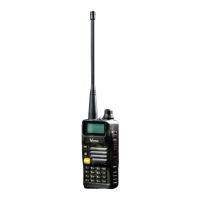
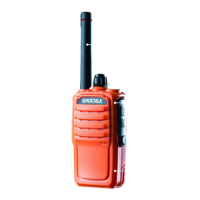
VERSA QUICKTALK GO SERVICE MANUAL
2
7.9 Dual Watch Operation ...................................................................................................................... 12
9. Radio Assembly and Disassembly ....................................................................................................... 13
9.1 Assembly and Disassembly ......................................................................................................... 13
9.2 Housing .......................................................................................... Error! Bookmark not defined.
9.3 Board and Metal Case .................................................................... Error! Bookmark not defined.
9.4 Battery ............................................................................................ Error! Bookmark not defined.
10. Quality Check .................................................................................................................................. 18
10.1 Physical Appearance ................................................................................................................... 18
10.2 RF Testing .................................................................................................................................... 18
10.3 Battery and Charger .................................................................................................................... 18
10.4 Radio Check ................................................................................................................................. 18
11. Schematic Diagram ......................................................................................................................... 19
12. Block Diagram ................................................................................................................................. 20
12.1 Front Board ..................................................................................................................................... 20
12.2 Back Board ...................................................................................................................................... 21
13. Troubleshooting and Repair.................................................................................................................. 22
13.1 External Parts .................................................................................................................................. 22
13.2 Internal Parts ................................................................................................................................... 23
14. Reprogramming .................................................................................................................................... 25
14.1. Initial Setup .................................................................................................................................... 25
14.1.1. General Requirements ............................................................................................................ 25
14.1.2. How to install Quicktalk Pro programming software.............................................................. 25
14.1.3. Install Prolific USB to Serial Comm Port .................................................................................. 29
14.2. Radio Programming ....................................................................................................................... 31


 To Next Page