VERSA QUICKTALK GO SERVICE MANUAL
30
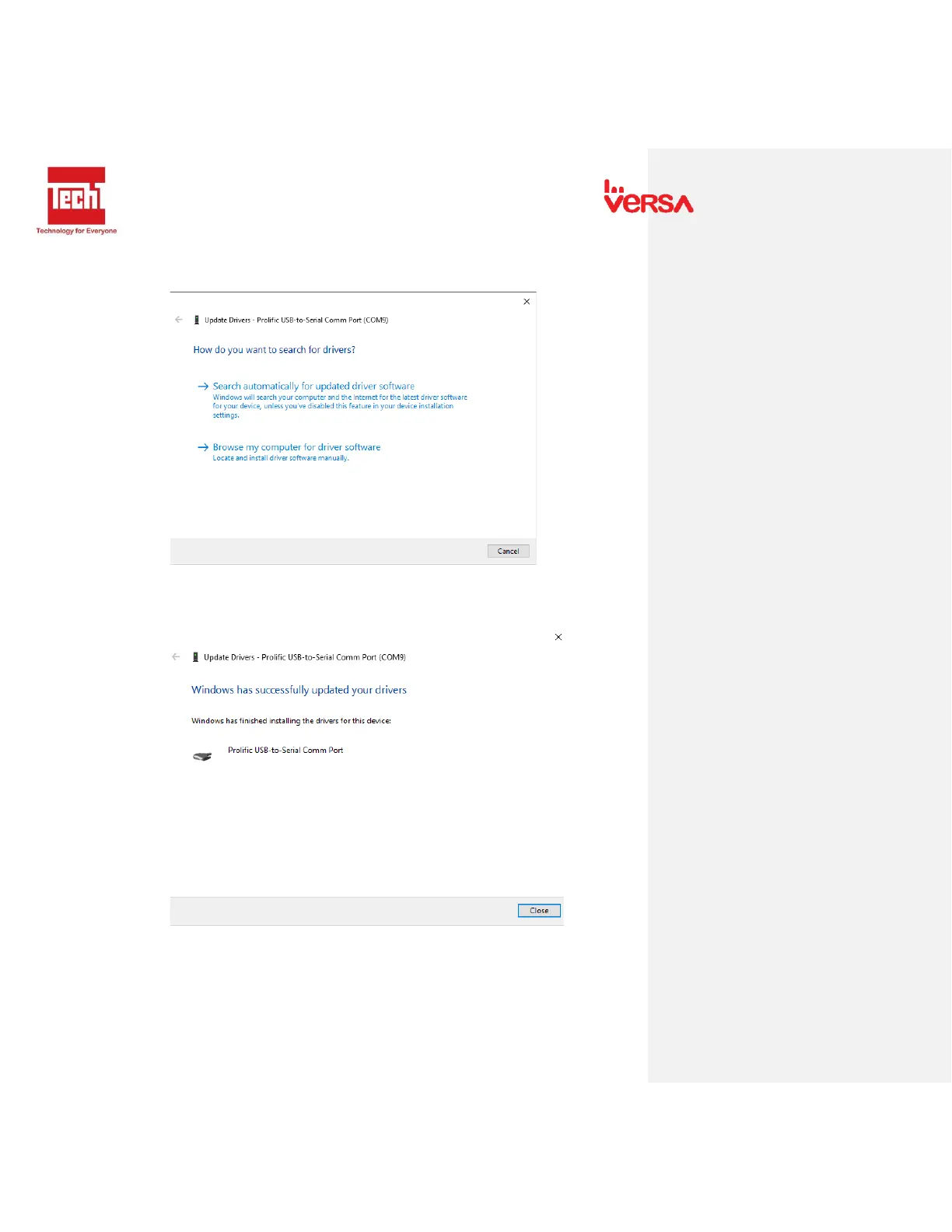
3. Right click the Prolific USB-to-Serial Comm port then click Update Driver. The
following window appears.
4. Click Search automatically for updated software. It will automatically scan for a
driver online. The following window will appear.
5. Click Close to exit setup.


 To Next Page