ITEM DESCRIPTION
14
Input Circuit Breaker.
The input circuit breaker trips if the output load exceeds the UPS'spower rating.
15
Coax Cable Line Out
for cable modem, DSS receiver, or cable-TV converter surge protection.
16 Input Power Cord.
17 Surge-protected-only output-power receptacles.
1.2 Installation
Install the Liebert PSA4 in a temperature-controlled environment that is free of corrosive and conductive
contaminants. Avoid locations near heat or water sources and exposed to direct sunlight. For proper
ventilation, leave approximately 2 to 4 inches clearance on all sides of the UPS.
The UPS unit ships with the internal battery connected.
1.3 Setup and Start-up
Inspect the UPS for any signs of obvious damage. If damage is visible, do not proceed with the setup and
call our warranty support line for a new replacement unit.
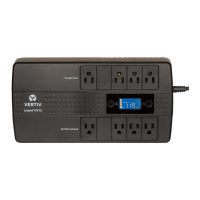
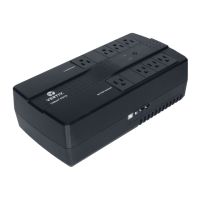
The UPS has 4 battery-backed and surge-protected receptacles and 4 surge-protected-only receptacles.
Plug your critical equipment (such as computer, monitors, etc.) into the battery-backed receptacles and
your less-critical equipment (such as printers and other less-often used peripherals) into the surge-only
receptacles.
If you also want to protect your computer network connection or telephone, you can use the
network/telephone surge-protection ports on the side. Use the “IN” port to connect the line from the wall
jack and the “OUT” port to connect to your device port. Use of this feature is not required forproper
operation of the UPS.
If you also want to protect your cable modem, DSS Receiver, or cable-TV converter connection you can
use the Coax surge protection ports on the side of the UPS. Use the “IN” port to connect the line from the
wall jack and the “OUT” port to connect to your device port. Use of this feature is not required for proper
operation of the UPS.
If you wish to use the USB communications, plug the provided cable into the port on the UPS and the
other end into an open USB port on your computer. This allows unattended shutdown of your computer
using either the built-in feature within the Microsoft® Windows® operating system or the Liebert
Multilink® Shutdown software located on the CD that shipped with the UPS. Use of this feature is not
required for proper operation of the UPS.
You are now ready to start the UPS. Plug the UPS input cord into the wall outlet. To turn on the UPS, press
and hold the ON/OFF button until you hear the UPS beep, then release the button. The connected
equipment immediately receives power and the UPS starts a short, self system test (electronics and
battery check). When the unit passes all self checks, only the green LED should be lit indicating normal
operation.
NOTE: While every precaution has been taken to ensure that the battery is in good condition, we
recommend allowing the UPS to charge the battery for at least 4 hours prior to providing full back-up
time protection for any utility-power abnormality.
Vertiv | Liebert® PSA4™ Installer/User Guide | 7








 To Next Page