Vertiv™ NetSure™ 2100 Series -48 VDC Power System User Manual
Proprietary and Confidential © 2022 Vertiv Group Corp.
5.6.3 Replacing a GMT Distribution Fuse
Replace distribution devices with the same type and rating. Refer to system application guide SAG582138000 for part numbers.
Procedure
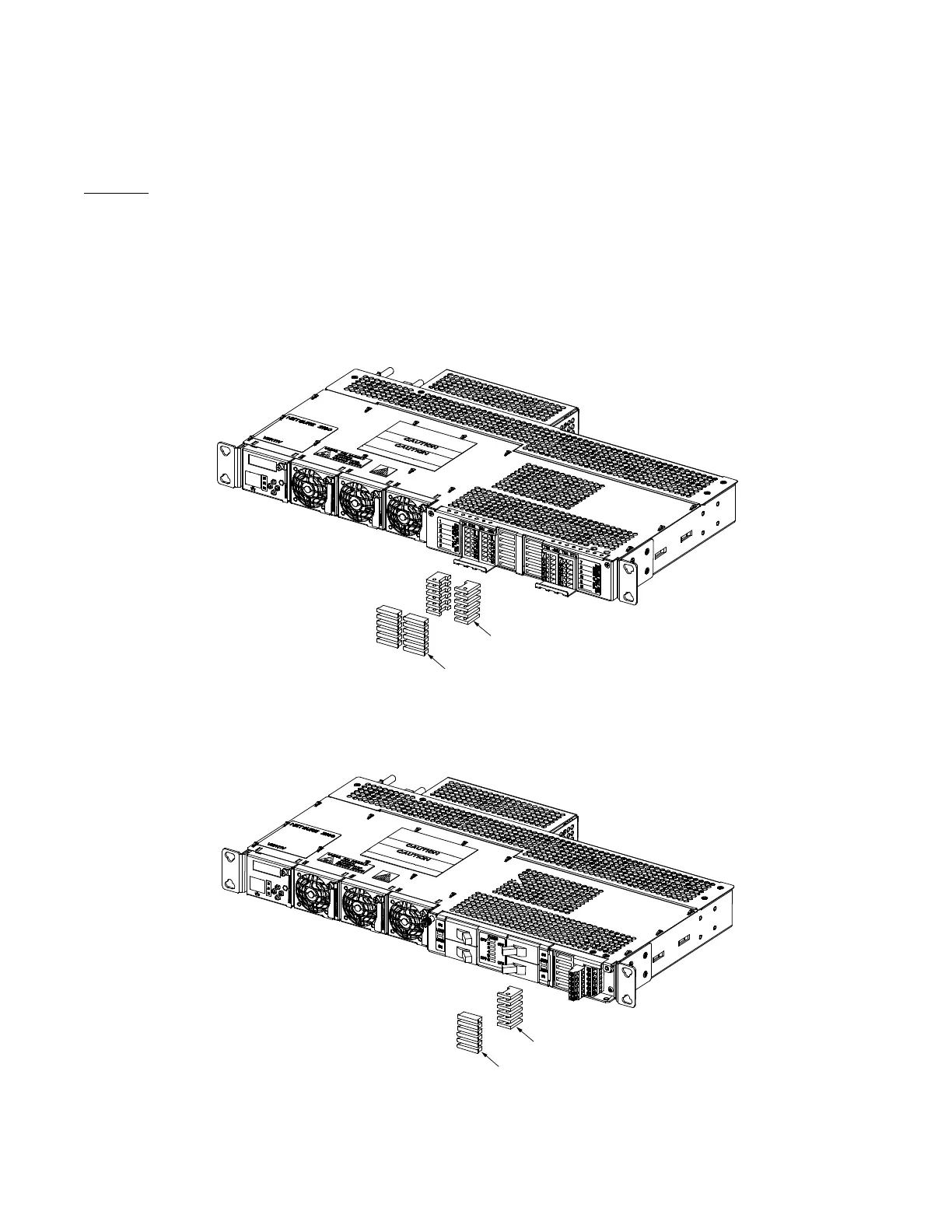
1. Refer to Figure 5.1, Figure 5.2, Figure 5.3, or Figure 5.4 and replace the fuse. Ensure a safety fuse cover is installed on the
replacement fuse, as shown in Figure 5.5.
2. Verify no alarms are active.
Figure 5.1 GMT Distribution Fuse Replacement (List AA)
Figure 5.2 GMT Distribution Fuse Replacement (List CA)
GMT Fuse
Safety Cover
Front
GMT Fuse
Safety Cover
Front


 To Next Page
 Loading...