BATTERY INSTALLATION
The V-30 uses a common LR44 1.5v button cell battery. Replacement batteries are
available at most camera shops and from your Vetta retailer. Under normal usage
a battery should last approximately one year.
NOTE: Most problems that occur
with cycle computers are caused by dead or weak batteries. If you are having
problems with your computer's operation, check and replace the battery first.
STEP 1
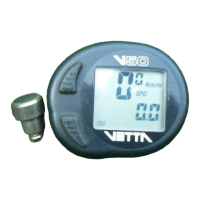
Remove the battery cover from the bottom of the computer by turning the
battery cap counterclockwise with a coin.
STEP 2
Install the battery into the battery compartment with the positive (+) side of the
battery facing the compartment door. Be careful when you are installing the
battery not to bend any of the battery contacts.
STEP 3
Screw the battery cap firmly into place. Make sure that the rubber o-ring seal does
not get pinched or distorted in this operation as this may compromise the
waterproofing of the unit.
LR44 1.5v Battery



 To Next Page