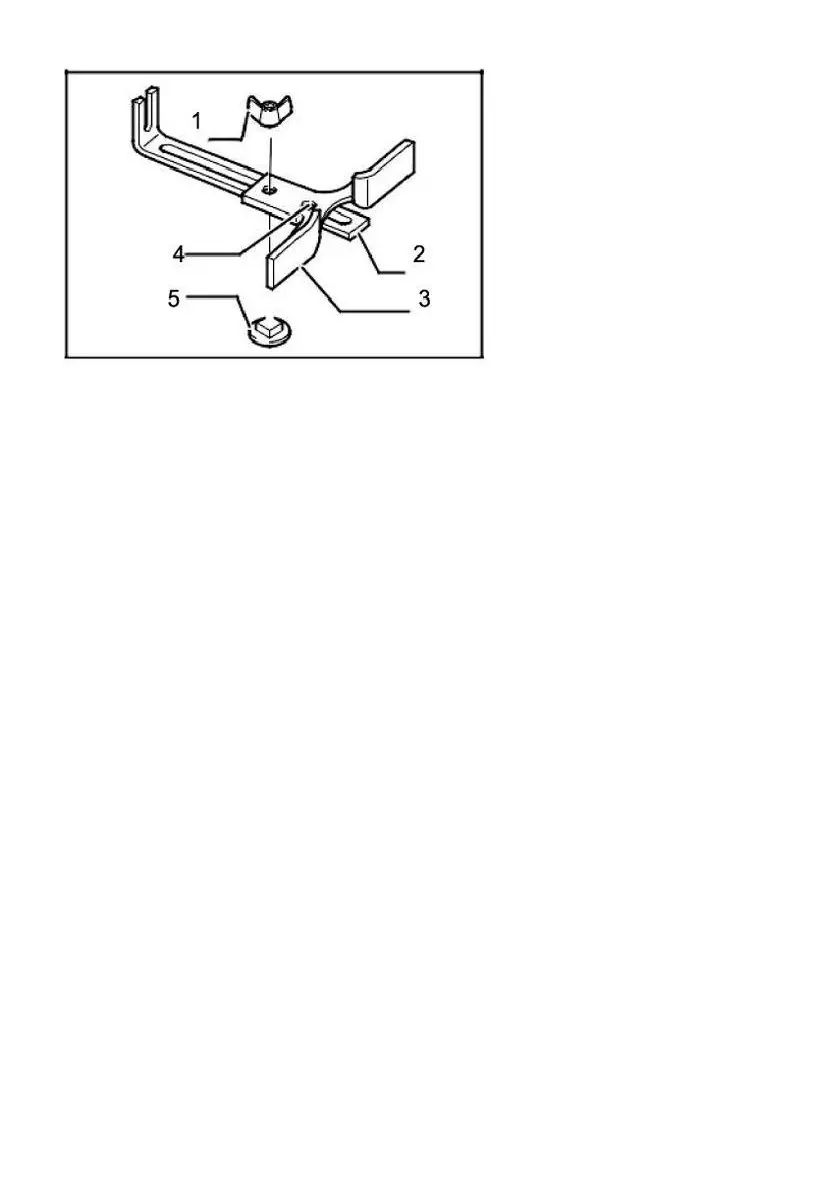
1.Wing nut
2.Guide plate
3.Straight guide
4.Center holder
5.Bolt
Trimmer guide
Trimming, curved cuts in veneers for furniture and the like can be done
easily with the trimmer guide. The guide roller rides the curve and assures
a fine cut. Install the trimmer guide on the tool base with the clamp screw
(A). Lochen the clamp screw(B) and adjust the distance between the bit
and the trimmer guide by turning the adjusting screw. At the desired
distance, tighten the clamp screw(B) to secure the trimmer guide in place.
When cutting, move the tool with the guide roller riding the side of the
workpiece.



 To Next Page