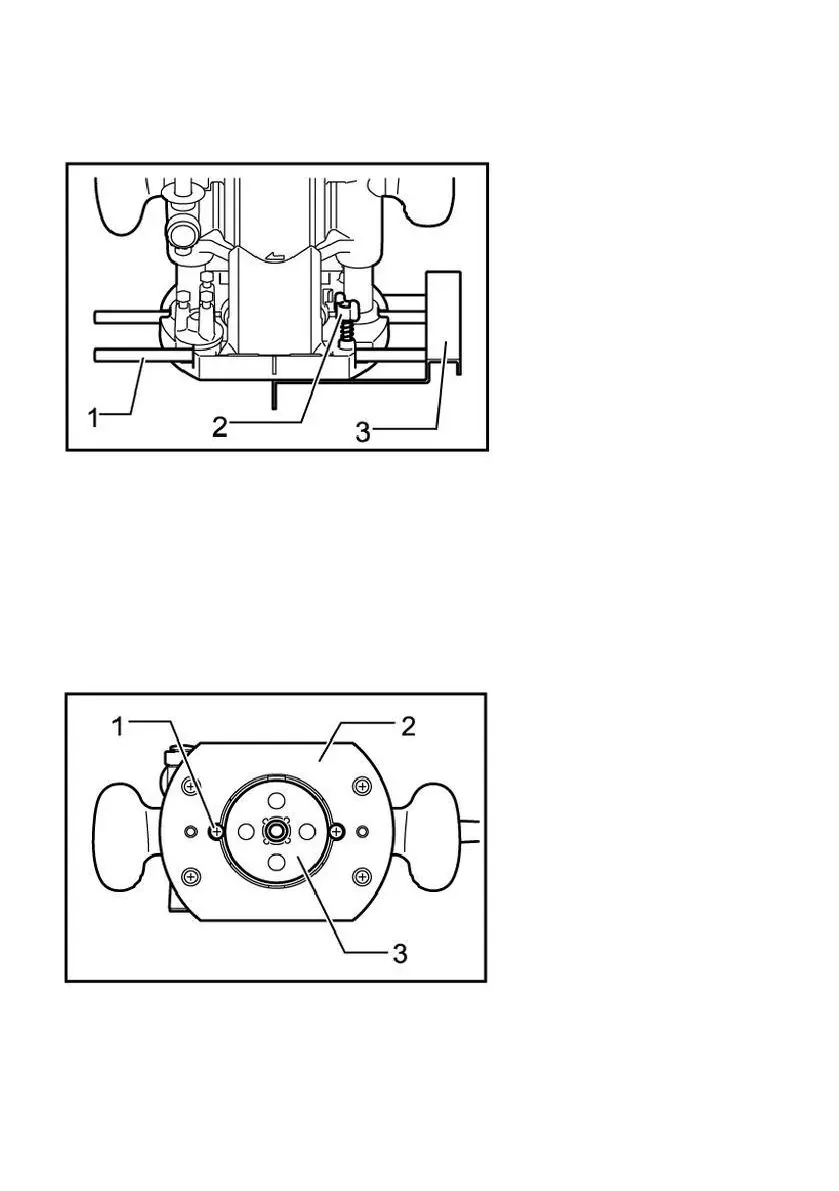
sample gauge guide plate,please loosen the screw on the tool base, insert
the sample gauge guide plate,and then tighten the screw.
1. Guide rod
2. Butterfly bolt
3. Linear guide
When installing the straight guide,insert the guide rod into the hole on the
cut-in base.Adjust the distance between the cutter head and the linear
guide plate.When the required distance is reached,tighten the butterfly
bolts to fix the straight guide plate in place.When cutting,move the tool
when the linear guide is flush with one side of the workpiece.
1. Screw
2. Pedestal
3. Sample gauge
Fasten the sample gauge on the workpiece.Place the tool on the sample
gauge and move the tool while sliding the guide plate of the sample gauge
along the side of the sample gauge.


 To Next Page