except for factory parameter settings.
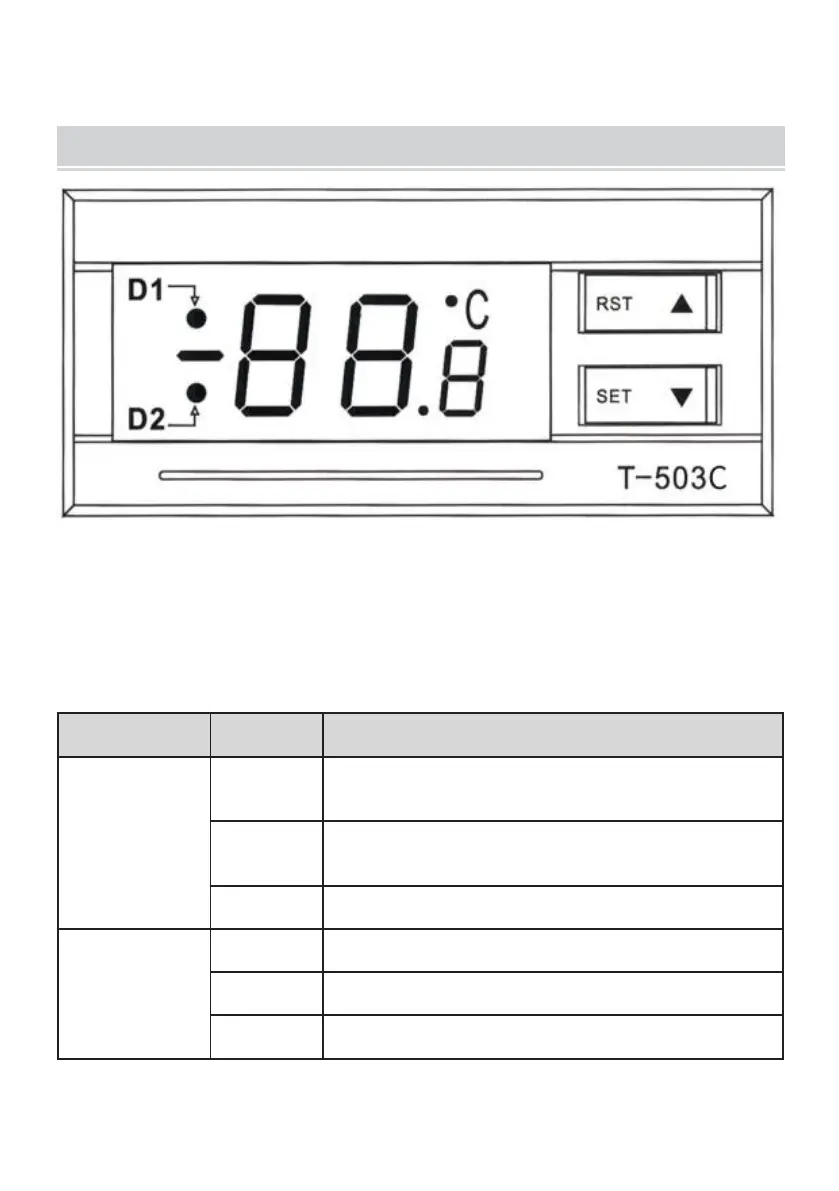
DISPLAY PANEL AND BUTTONS
(1) Display description: the data display area of the manual exercise board
displays temperature, system parameters, alarm codes and other data;
The blinking period for each field is 1 second; After powering on, the full
display works normally after about 5 seconds.
(2) Display symbol description:
Red light in
upper left
corner
The controller operates in intelligent control
mode
The controller operates in constant
temperature mode
The controller is in parameterization mode
Red light in
lower left
corner
The controller is in a cooled state
The controller is in an uncooled state
The controller is in a microcooled state


 To Next Page