5, While feeding the cable to terminal blocks, please make sure the metal
wire ends and the terminal blocks to touch completely. Then tighten the
screws up to ensure the full current can go through.
6, Before beginning any work on the electric installation, be sure that main
breaker panel switch is OFF to avoid any danger of electric shock, all
mounting and plumbing must be completed before proceeding with
electrical hook-up.
1. Turn on the circuit breaker to bring electrical power to the unit.
2, Open water faucet for a few minutes until water flow is continuous and
all air is purged from water pipes. The unite must be operated after the
breakers are turned on.
3. After the unit is supplied with power, a beep sound can be heard and
LED lights for 2 seconds, no other display, the appliance keeps on
standby.
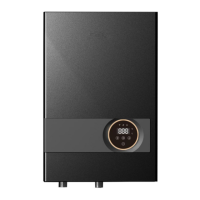
4. Press “ ” to turn ON/OFF the appliance. When the unit is ON, LED
displays actual water temperature of the outlet. While the appliance stops
working, after 5 seconds, the screen will switch to the screen saver. The
display screen light will be off. If there is touch to the screen, it will be light
again.
5. Single touch and to adjust the outlet temperature. Temperature
setting range is 30--60°C/ 86-140
o
F.
If the unit has been paused, you may initially get a short burst of very
hot water while you turn on again. Please run the water through for a
few seconds to let the temperature settle down. And check water
temperature before you use it.
If the unit is unused in winter, drain the water entirely so the heater will
not be frozen.
Please periodically clean inlet strainer and the shower to keep a free
water flow.


 To Next Page