2525
2525
25
CPU InstallationCPU Installation
CPU InstallationCPU Installation
CPU Installation
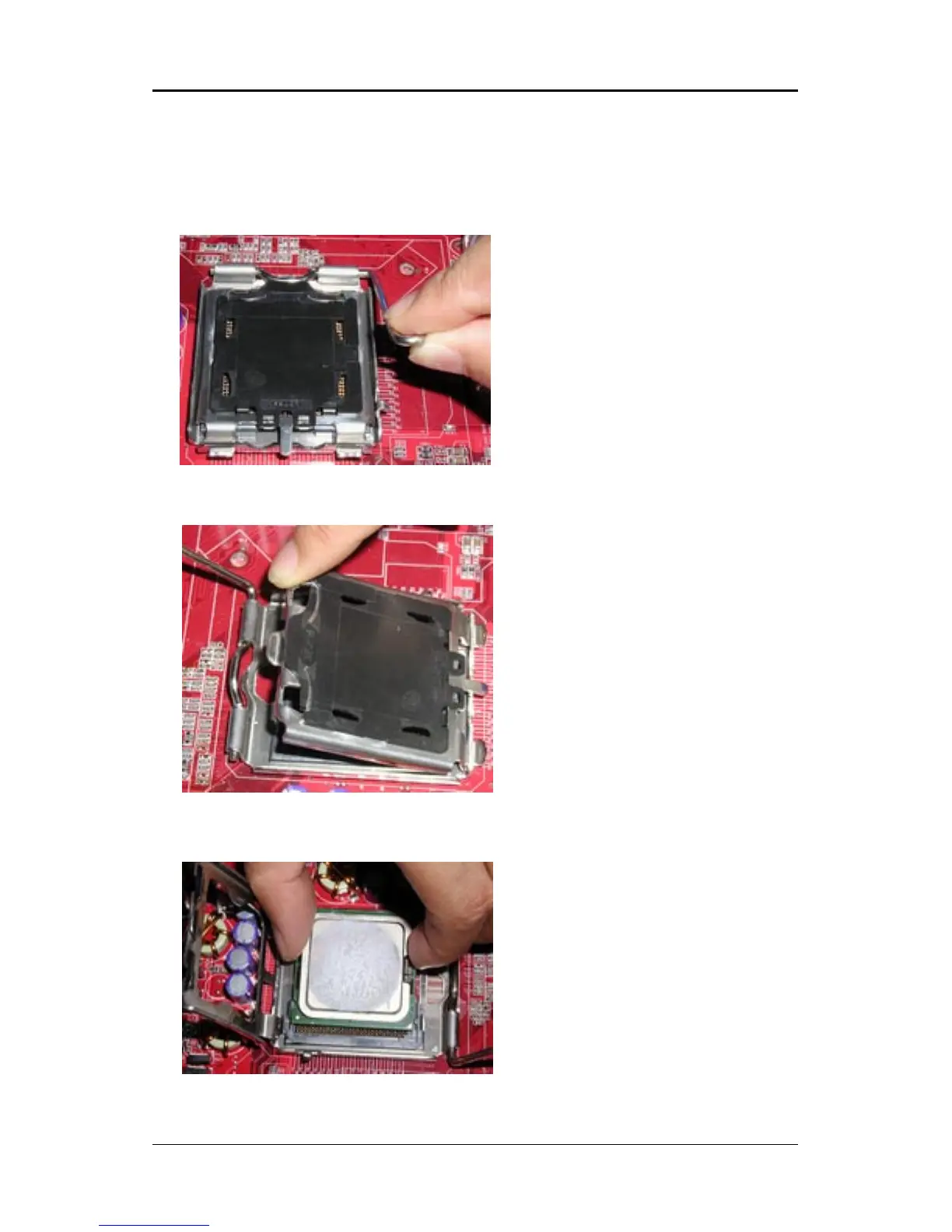
Please refer to the following steps to install the CPU.
1.Use index finger and thumb to
move metal lever so it is separated
from the bottom steel shell grip
hook.
2.Use index finger to lift the top steel
shell.
3.Use index finger and thumb to
place the CPU onto the plastic body
(look for the gold arrow, the gold
arrow should point away from the
lever pivot).














 To Next Page