1212
1212
12
Technical Reference Booklet
Method 2: Using S-BRACKET connectors:
The S-Bracket (shown on page 22) is an optional accessory. It gives access to
analog and digital audio output by integrating both SPDIF and analog LINE
OUT connectors. To use the S-Bracket, you should select the correct setting in
the software utility. For information about the setting, refer to selecting 4- or 6-
Channel Settings later in the section.
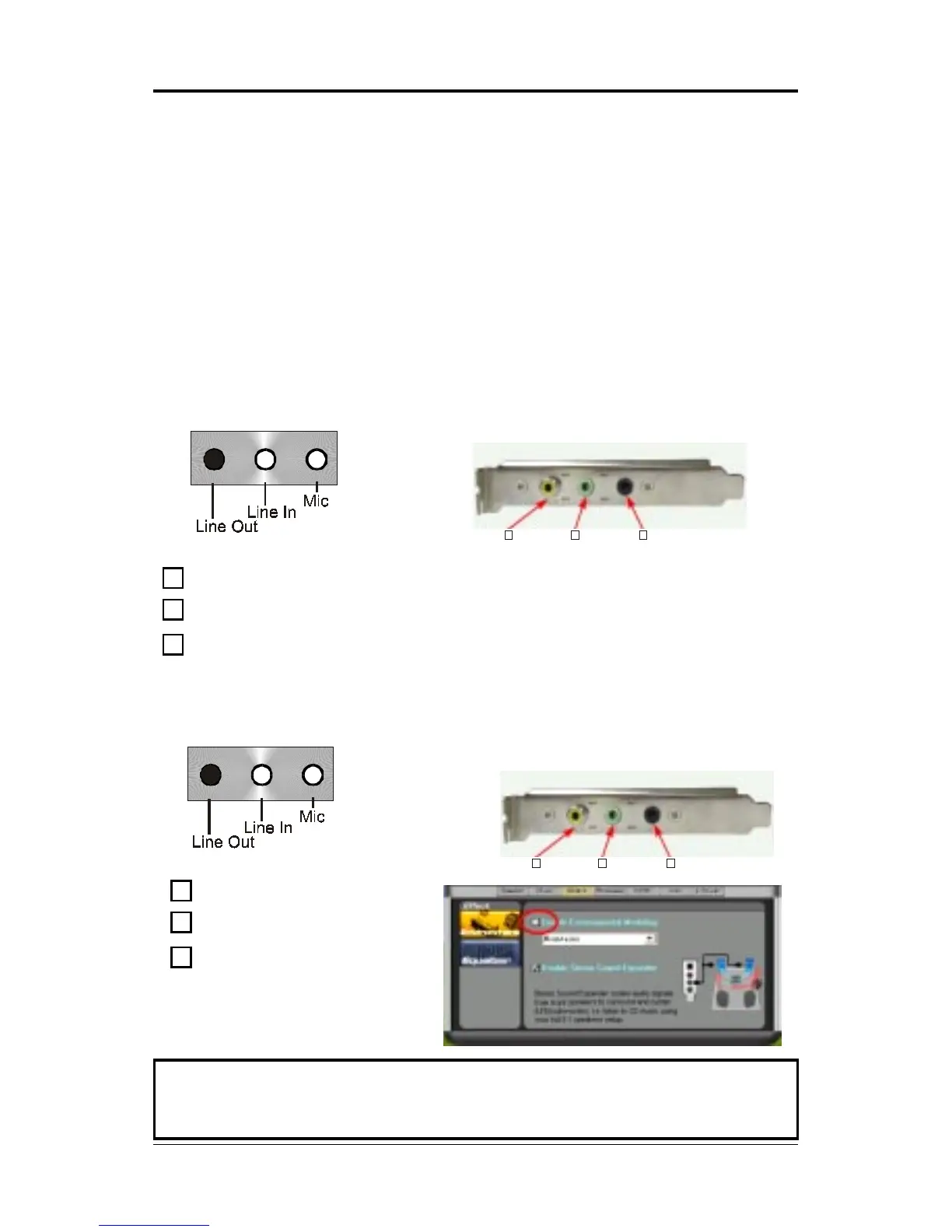
Connector configurations for 4- and 6- channel using S-Bracket are
described below:
4-Channel Analog Audio Output
S-Bracket
+
1
2
3
SPDIF jack (coaxial)
Rear Speaker Out
No function
1
23
S-Bracket
6-Channel Analog Audio Output
1
23
+
1
2
3
SPDIF jack (coaxial)
Rear Speaker Out
Center and Subwoofer Out
Note:Note:
Note:Note:
Note:
When you use the SPDIF function, don’t select the item of Effect/Enable
Environmental Modeling.
Back Panel
(Front channels)
Back Panel
(Front channels)














 To Next Page