EasyManua.ls Logo

Viatom Checkme O2 - User Manual

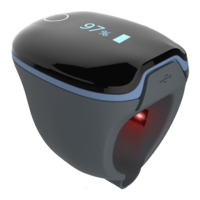
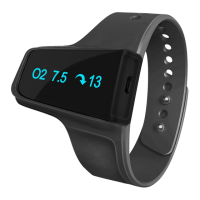
Viatom Checkme O2
68 pages
Print Icon
To Next Page IconTo Next Page
Loading...
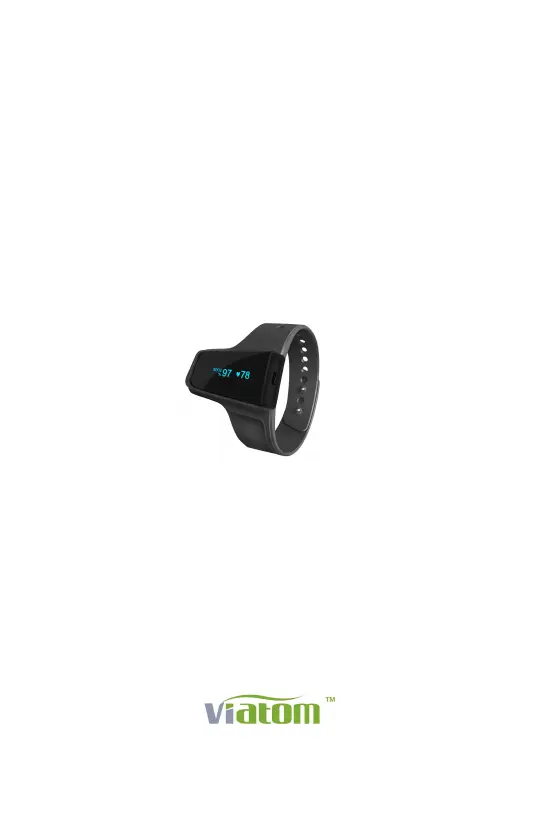
Checkme O2
Smart Wrist Pulse Oximeter
User Manual
English|Deutsche|Italiano|Español|Français
www.viatomtech.com
TM

Other manuals for Viatom Checkme O2

Questions and Answers

  • M
    Melinda ZimmermanAug 13, 2025
    What to do if SleepImage App cannot connect with Viatom Checkme O2?
    • J
      joshuaadamsAug 14, 2025
      If the SleepImage App cannot connect with your Viatom Medical Equipment recorder, ensure that Bluetooth is enabled on your phone. Also, verify that the recorder is powered on.
  • G
    Gina StuartAug 17, 2025
    How to fix Viatom Medical Equipment recorder that does not turn on?
    • C
      Cindy EspinozaAug 17, 2025
      If your Viatom Medical Equipment recorder does not turn on or respond, it might be due to a low battery. Try charging the battery and then attempt to power it on again. If charging doesn't resolve the issue, the device may be experiencing an unexpected software condition. In this case, press and hold the button for 10 seconds to reset the recorder.
  • B
    Bradley HollandAug 21, 2025
    What to do if Viatom Checkme O2 app cannot find the device?
    • A
      Alex NewmanAug 21, 2025
      If the Viatom Medical Equipment app cannot find the device, it might be because your phone's Bluetooth is turned off. Turn on the Bluetooth on your phone and try connecting again.
  • C
    Christopher GuerreroAug 25, 2025
    How to fix low battery on Viatom Checkme O2 Medical Equipment?
    • E
      Elizabeth AllenAug 25, 2025
      If the battery of your Viatom Medical Equipment is low, charge the battery and try again.
  • J
    Jason GutierrezAug 28, 2025
    How to turn on Bluetooth on Viatom Medical Equipment in Sleep Mode?
    • S
      Sarah MccarthyAug 28, 2025
      If the device Bluetooth is off in Sleep Mode, press the button on your Viatom Medical Equipment. The Bluetooth will turn on when the screen lights up.
  • N
    Nancy Erickson DDSSep 1, 2025
    What to do if Viatom Medical Equipment has unexpected software condition?
    • B
      Bryan PalmerSep 1, 2025
      If your Viatom Medical Equipment experiences an unexpected software condition, press the button for about 10 seconds to reset the device.
  • M
    Mr. Aaron SmallSep 5, 2025
    What to do if my Viatom Checkme O2 Medical Equipment does not turn on?
    • D
      Donald MckenzieSep 5, 2025
      If your Viatom Medical Equipment isn't turning on, the battery might be low, so charge it and try again. Alternatively, an unexpected software condition may have occurred; in this case, press the button for about 10 seconds to reset the device. If neither of these steps works, the device might be damaged.
  • N
    nwilsonSep 9, 2025
    Why can't the app find my Viatom Checkme O2 device?
    • C
      Caleb HarrisSep 9, 2025
      If the app cannot find your Viatom Medical Equipment device, the Bluetooth on your phone might be turned off. Make sure to turn it on. Also, if the device is in Sleep Mode, its Bluetooth could be off. Press the button on the device to wake it up and turn on the Bluetooth when the screen lights up.

Viatom Checkme O2 Specifications

General IconGeneral
ModelCheckme O2
TypePulse Oximeter
SpO2 Range70% - 100%
Pulse Rate Range30 - 250 bpm
ConnectivityBluetooth
DisplayOLED
Dimensions57 mm × 32 mm × 13 mm (2.24 in × 1.26 in × 0.51 in)
Measurement ParametersSpO2, Pulse Rate
SpO2 Accuracy±2% (70%-100%)
Pulse Rate Accuracy±2 bpm or ±2%, whichever is greater
PI Range0% - 20%
Battery TypeRechargeable Lithium Battery
Battery LifeUp to 24 hours
Charging Time2 hours
Bluetooth VersionBluetooth 4.0
CompatibilityiOS and Android
Weight50g

Related product manuals