OneExpert DSL User's Guide
22052280, Rev. 016May 2020
Chapter 3 Utilities
73
Editing work orders
You can easily edit and create new work orders.
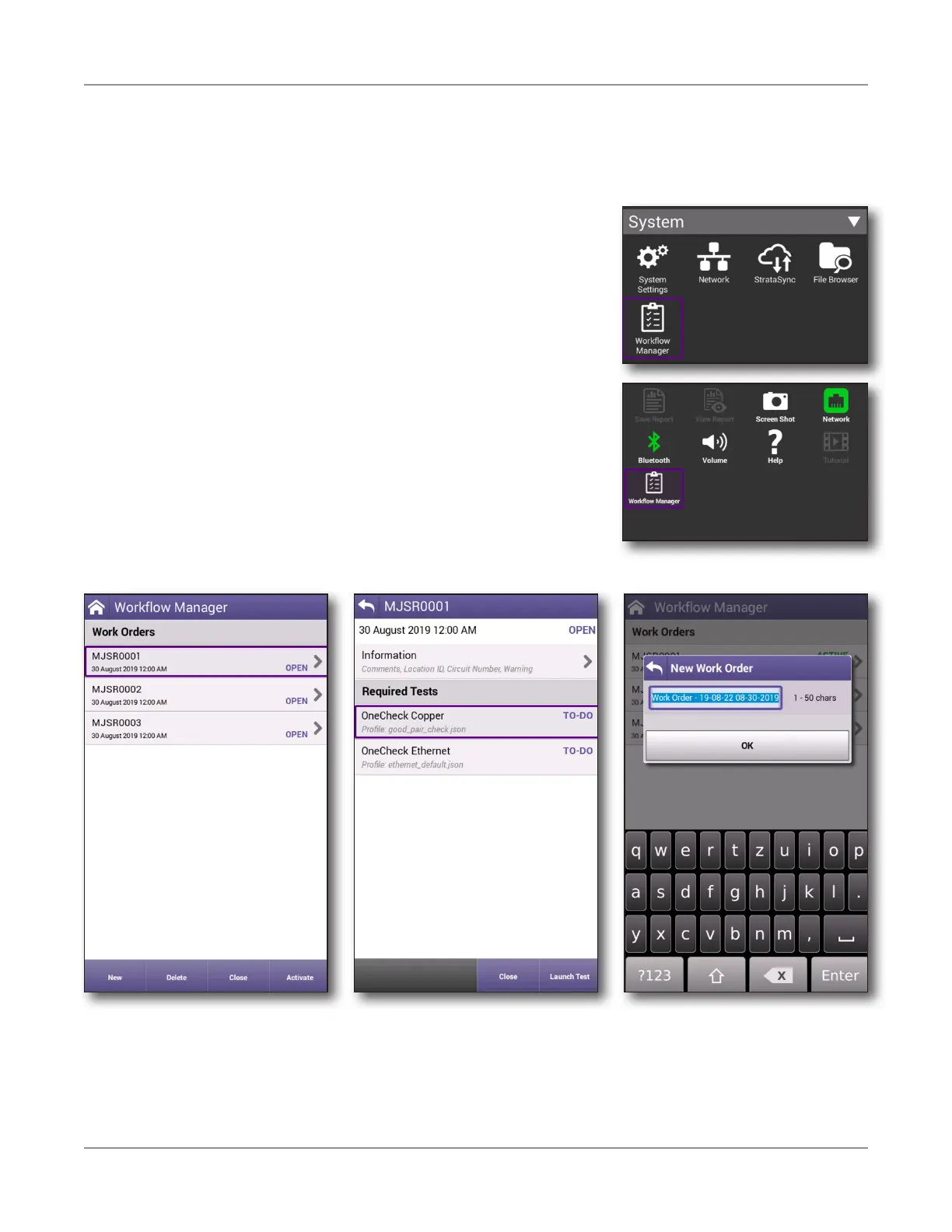
1. From the System main menu, select Workflow Manager. You can also bring up
Workflow Manager from the Tray menu.
2. From the Workflow Manager menu, select the work
order you want to edit.
The work order opens and displays information as
well as tests to be run that may have been deployed
from StrataSync. Some of the information and tests
will be grayed out, depending if they are required or
how how they were set up in StrataSync.
3. To edit information for the work order, select
Information to add comments, location ID, or
circuit number, etc.
4. To create a new work order, select the New button
and name the work order. Creating a new work
order automatically activates it.





 To Next Page