Chapter 3 Utilities
OneExpert DSL User's Guide
22052280, Rev. 016 May 202074
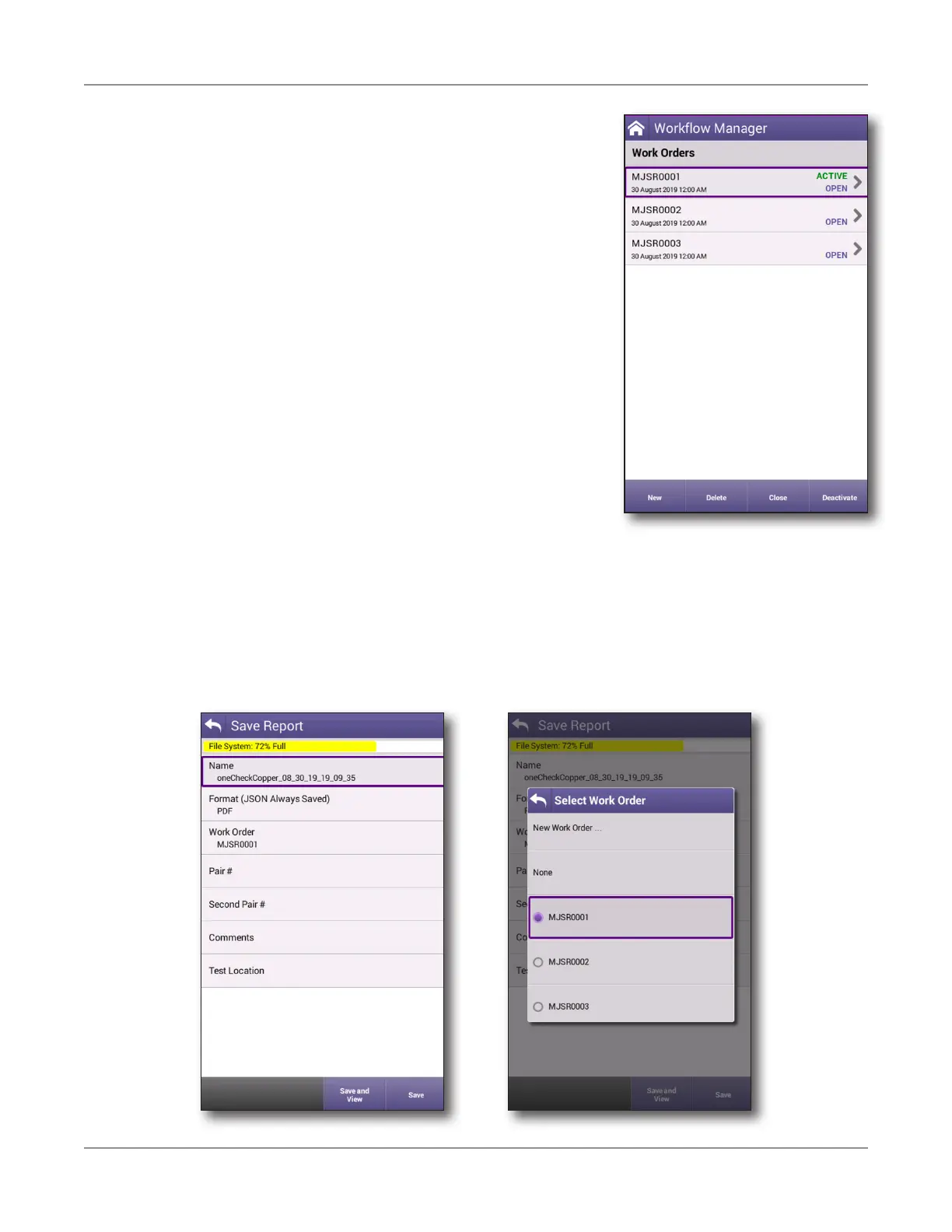
5. To activate a work order, use the arrows to select it,
then select Activate. Similarly, to deactivate one,
select Deactivate.
6. To close a work order, use the arrows to select it,
then select Close.
Closing work orders is designed to help you organize
them and does not affect those that StrataSync
considers complete or incomplete.
7. To delete a work order, use the arrows to select the
work order, then select Delete. If the work order is
active, it will be deactivated first.
You can also run a test from any configuration screen by
pressing the Launch Test button. This also automatically
activates the work order.
Saving a report to a work order
Any reports you create will be saved to the active work order, unless you choose otherwise.
You can also create a new order order or choose to deactivate the current order order by
choosing None when you save it.
See "Saving a report" on page 67 for more information.





 To Next Page