1
From the previous confi guration screen, press .
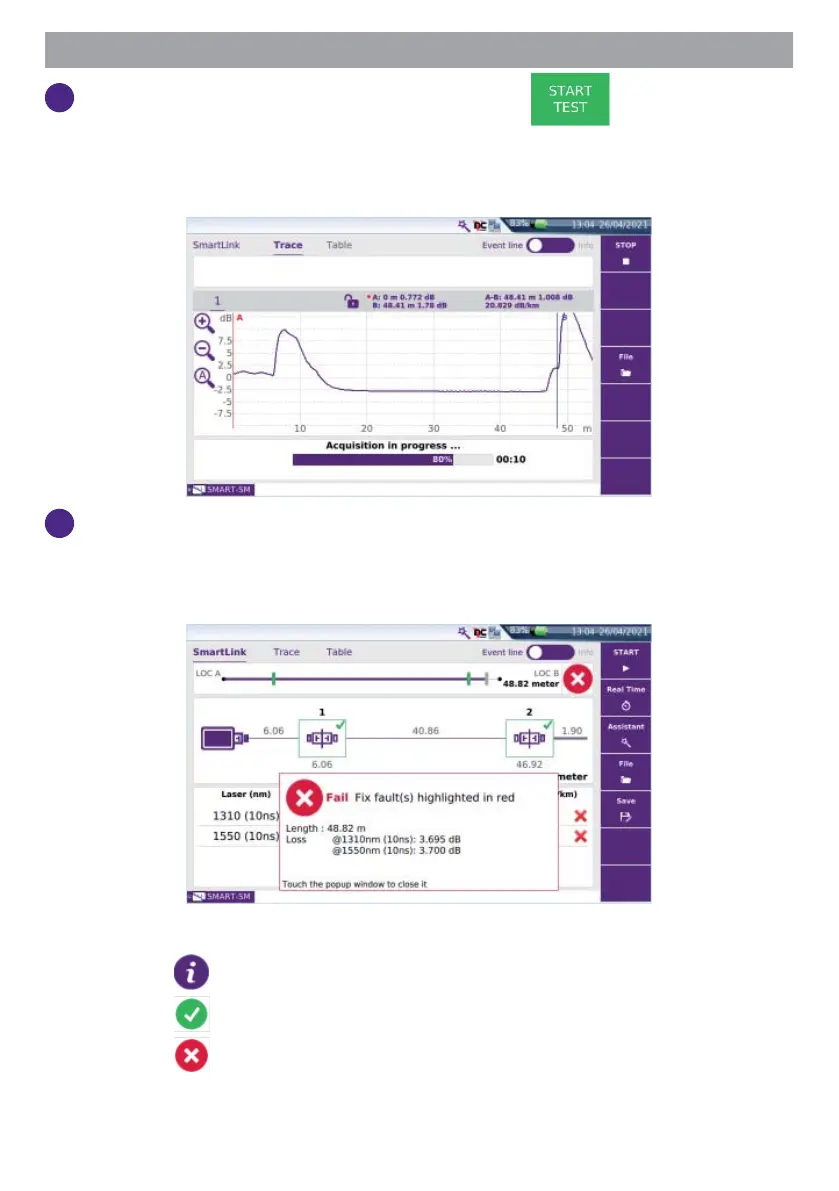
The measurement starts:
- Step1: Test port connection health check
- Step2: OTDR measurement
2
At the end of the test, the Smart Link view is displayed, with a pop up
window indicating global test results (loss, length at each wavelength,
and alarm status).
The pop up window displays:
- the icon
if no alarm thresholds are defi ned.
- the icon if no event exceeds the alarm thresholds.
- the icon if at least one event exceeds the alarm thresholds.
Touch the popup window to close it, and get access to the detailed Smart-
Link map view.








 To Next Page