1
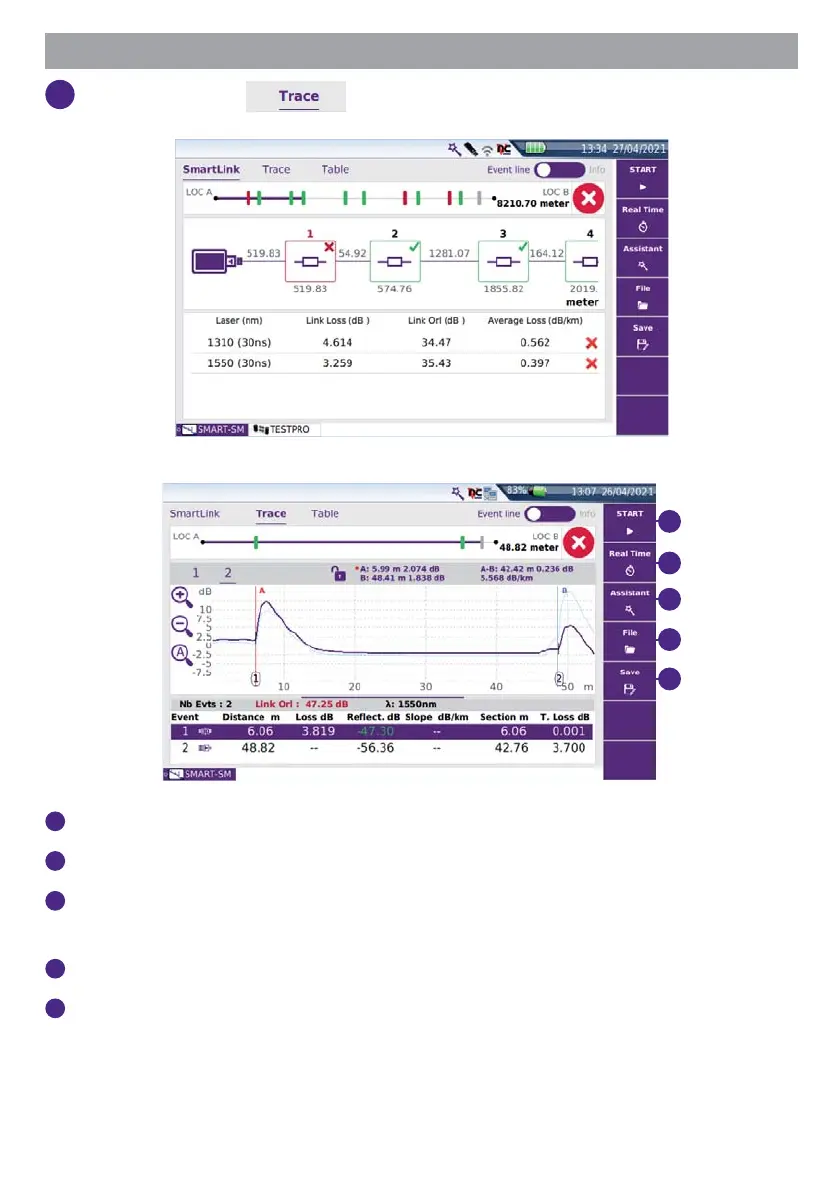
Click on the tabs to display the result trace:
1
2
3
4
5
1
Start: press to perform a new measurement.
2
Real Time: press to perform a new measurement in Real Time.
3
Assistant: press to return to Setup Information page (see “Confi guring a test in
Smart Test Mode”, page 5).
4
File: press to open the File Explorer.
5
Save: press to save the results (.sor and .pdf formats).








 To Next Page