/ .
1
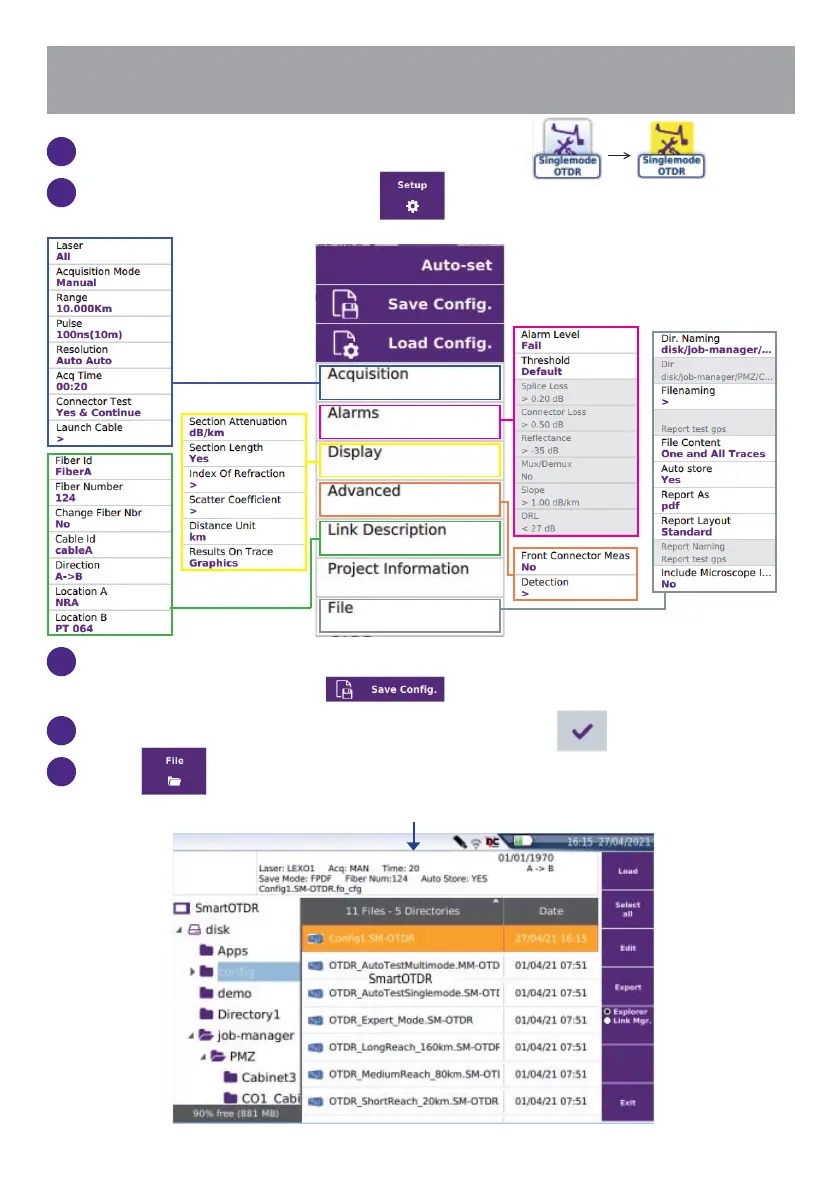
On the Home page, select Expert OTDR icon .
2
From the Results page, press to confi gure the OTDR parameters.
3
To create a confi guration, when all parameters are confi gured according
to your test needs, press
to save the current confi guration.
4
Type a fi le name in the edition keypad and press to validate.
5
Press to access the confi guration fi le.
Summary of confi guration parameters into the fi le








 To Next Page